How to find the Qibla with your phone, and why compasses drift
A Qibla app works out the bearing to the Kaaba from your GPS position, then uses the phone's compass to show which way to turn. Calibrate the compass and keep away from metal for a reliable reading.
On this page
To find the Qibla with your phone, open a Qibla finder, let it read your location, hold the phone flat or upright and turn until its arrow lines up with the marker. Behind the scenes, the app calculates the exact bearing from where you are to the Kaaba in Makkah, then uses the phone's compass sensor to show you which way to face. The calculation is precise; the compass is the weak link, so calibrate it and keep away from metal.
What the Qibla really is
The Qibla is the direction of the Kaaba in Makkah, which Muslims face in prayer. Because the earth is a sphere, the direction is measured along a great circle, the shortest route over the globe, not a straight line on a flat map. That's why the Qibla from North America is north-east, not south-east as a flat map suggests: from New York it is about 58° from true north, and from Toronto about 55°.
Here are a few more examples, calculated as initial great-circle bearings from each city centre:
| City | Qibla bearing (from true north) | Distance to the Kaaba |
|---|---|---|
| London | about 119° (ESE) | about 4,790 km |
| Birmingham | about 118° (ESE) | about 4,950 km |
| Istanbul | about 152° (SSE) | about 2,400 km |
| Lahore | about 260° (W) | about 3,600 km |
| Karachi | about 268° (W) | about 2,800 km |
| Dhaka | about 278° (W) | about 5,170 km |
| Jakarta | about 295° (WNW) | about 7,920 km |
| New York | about 58° (NE) | about 10,300 km |
The bearing changes only slowly as you move: a GPS fix that is off by a few hundred metres makes no practical difference, and even across a large city it shifts by only a fraction of a degree. Between cities, though, it changes a lot, which is why an app uses your own position rather than a national average.
How a phone compass works, and why it drifts
Your phone has no needle. It has a magnetometer, a tiny sensor that measures the earth's magnetic field in three directions, and combines it with the accelerometer (which knows which way is down) to work out which way the phone is pointing. That makes it sensitive to a few things:
- Nearby metal and magnets. Steel desks, radiators, cars, fridges, laptops, loudspeakers and electrical wiring all bend the magnetic field. So do magnetic phone cases and car mounts. The error can be tens of degrees.
- Reinforced concrete. Steel reinforcing bars in floors and walls distort the field indoors, sometimes differently from one room to the next.
- An uncalibrated sensor. The magnetometer drifts as it is exposed to magnets and temperature changes. Calibration lets the phone relearn its offsets.
- Magnetic declination. A compass points to magnetic north, which isn't true north. The difference varies around the world, from almost nothing to well over 10° in parts of North America. The Qibla bearing is measured from true north, so an app has to correct for it.
- Holding the phone oddly. Tilting or waving the phone as you turn makes the reading swing.
Find the Qibla with Salah Locator
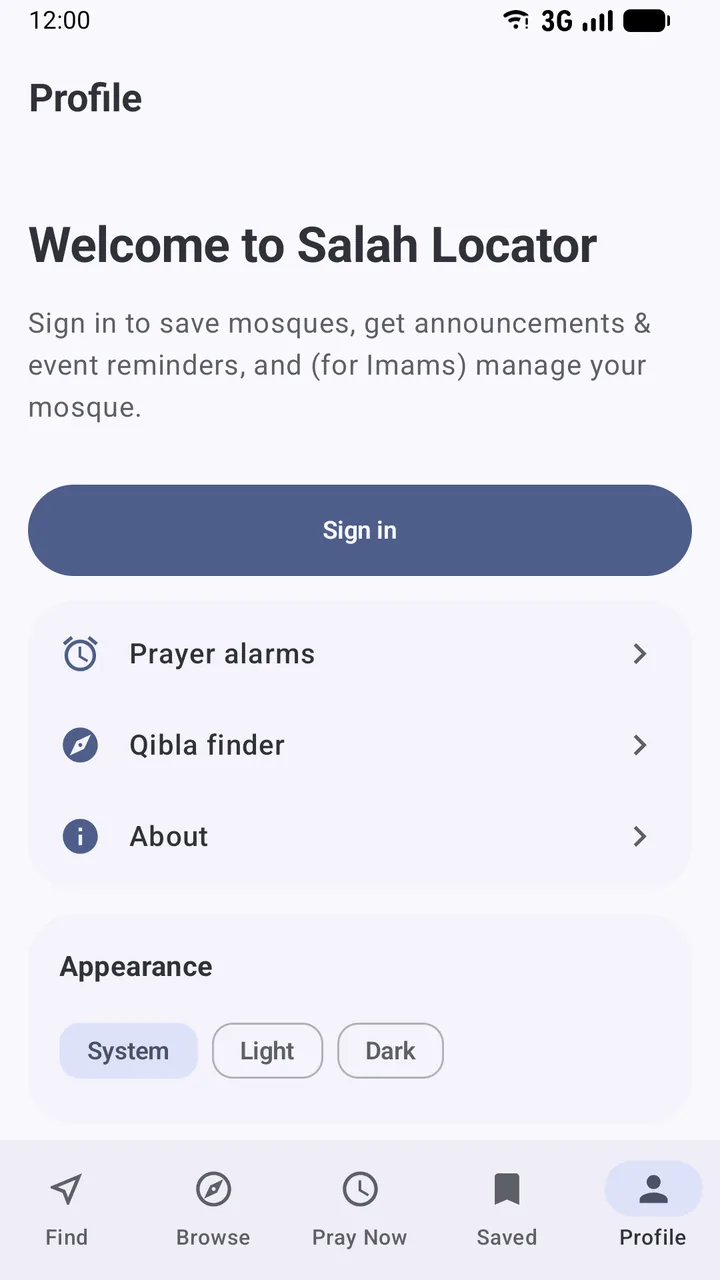
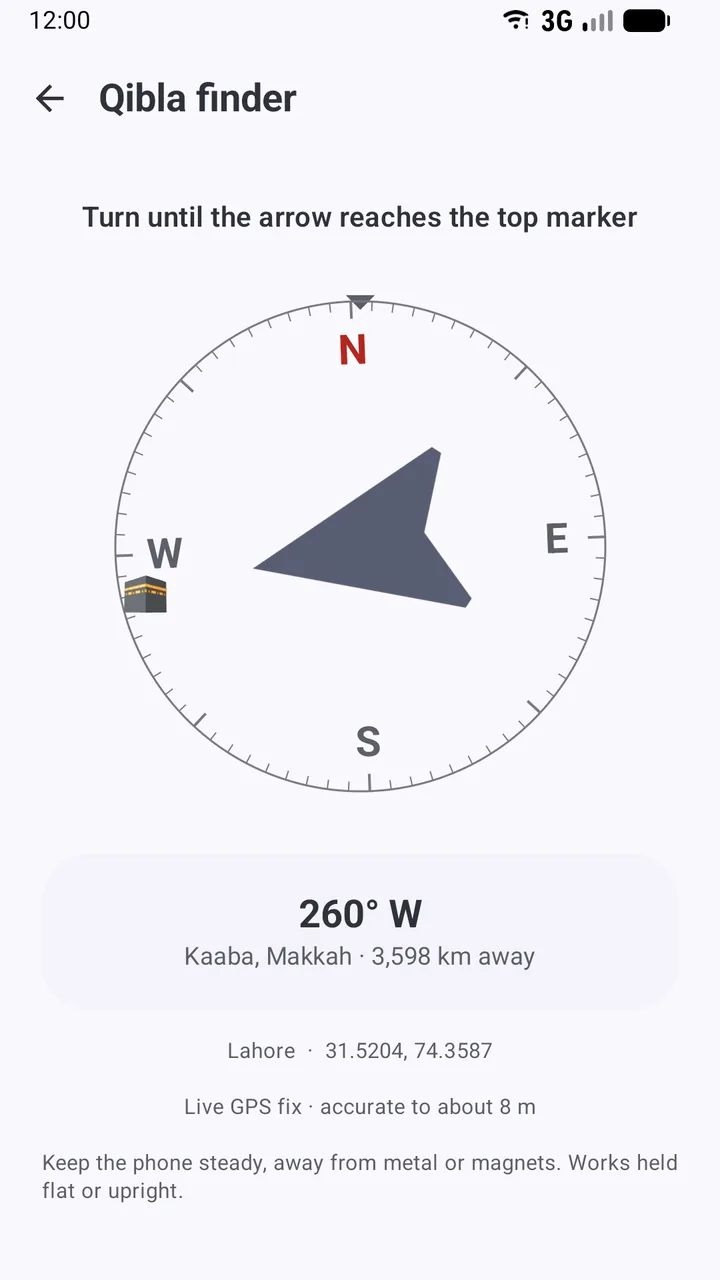
Salah Locator's Qibla finder is in the Android app. Open it from the compass icon at the top of Find, or from Profile → Qibla finder.
- Tap Use my location the first time, and allow location.
- Hold the phone flat, or upright in front of you.
- Turn slowly until the arrow reaches the marker at the top of the dial. The Kaaba symbol on the edge of the dial shows where Makkah lies.
- When you are within a few degrees, the message changes to You're facing the Qibla 🕋.
The app corrects the compass for magnetic declination at your location, shows the bearing in degrees, the distance to the Kaaba and how accurate your location fix is. If the sensor reports low accuracy, it shows ⚠ Compass needs calibrating — wave the phone in a figure-8 a few times. The full walkthrough is in Find the Qibla with the compass.
How to calibrate your compass
- Move away from metal: step into the middle of a room, or outside.
- Take off a magnetic case or remove the phone from any magnetic mount.
- Hold the phone and move it slowly through a figure-8 in the air, turning your wrist so the phone faces different directions.
- Repeat three or four times, then hold still and let the reading settle.
If the arrow still jumps, try another spot. A reading that changes by more than a few degrees when you take a step to the side is a sign of local interference.
Three ways to check without trusting one sensor
Use a mosque. A mosque's mihrab faces the Qibla. If you pray in a building near a mosque, note its orientation. On the Salah Locator website, every mosque page also has a Qibla Direction card giving the bearing from that mosque in degrees from true north.
Use a landmark. Find the Qibla bearing for your location, then use a map to pick a distant landmark, a road or a building edge that runs in that direction. Straight lines on a map are fixed; a compass indoors isn't.
Use the sun. Twice a year the sun passes almost directly over the Kaaba at noon in Makkah: around 27–28 May at about 12:18 local time (09:18 UTC) and around 15–16 July at about 12:27 (09:27 UTC). At that moment, anywhere the sun is visible, a vertical object's shadow points directly away from the Qibla. Face the other way.
If your phone has no compass
Some phones, especially cheaper models, have no magnetometer. Salah Locator then says so, and shows the bearing anyway: The bearing above is still correct — line it up using another compass. A handheld compass, a landmark or the sun method will do the rest. With a magnetic compass, remember to allow for declination.
Is "near enough" enough?
Many scholars hold that someone far from Makkah who can't determine the exact direction is required to face its general direction, and that an honest effort to find the Qibla is what matters. If you are unsure about your own situation, ask your local imam.
For practical travel tips, including finding mosques and the Qibla when you're away from home, read Praying on the go. The Qibla finder also works without mobile data; see what works offline.
Frequently asked questions
Which direction is the Qibla from the UK?
From London the Qibla is at about 119 degrees from true north, roughly east-south-east. From Birmingham it is about 118 degrees. A Qibla app will give the exact bearing for where you stand.
Why does my phone's compass point differently in different rooms?
Phone compasses measure the earth's magnetic field, which is easily disturbed by steel furniture, radiators, wiring, speakers and reinforced concrete. Move to a clear spot, away from metal, and calibrate.
How do I calibrate my phone's compass?
Hold the phone and slowly move it through a figure-8 in the air a few times, turning your wrist as you go. Most Qibla apps, including Salah Locator, tell you when calibration is needed.
What is magnetic declination?
It is the angle between magnetic north, where a compass points, and true north. It varies from place to place and can be well over ten degrees. The Qibla bearing is measured from true north, so a good app corrects for it.
Can I find the Qibla without a compass?
Yes. Use the mihrab of a nearby mosque, a landmark whose bearing you know, or the sun on the two days a year it passes directly over the Kaaba, when shadows everywhere it is visible point away from the Qibla.
Was this post helpful?