Use Salah Locator offline: what works without a connection
In short
Mosque pages you've opened stay on your phone for up to 30 days, alarms are scheduled on the device and the Qibla finder works from GPS. Pray Now and new searches need a connection.
On this page
Salah Locator keeps what you have already looked at, so most of it keeps working when your signal drops. Any mosque you have opened in the app in the last 30 days stays readable offline, estimated prayer times are calculated on the phone, prayer alarms are scheduled on the device, and the Qibla finder only needs GPS and the compass. Pray Now and new searches need a connection.
What works offline
| Feature | Offline? | Details |
|---|---|---|
| Mosque pages you've opened | Yes | The timetable, announcements and details from your last visit, with an Offline — showing saved data banner |
| Find | Partly | Shows the last list of mosques near you, or your last searches |
| Browse and Saved | Partly | Shows results you have loaded before |
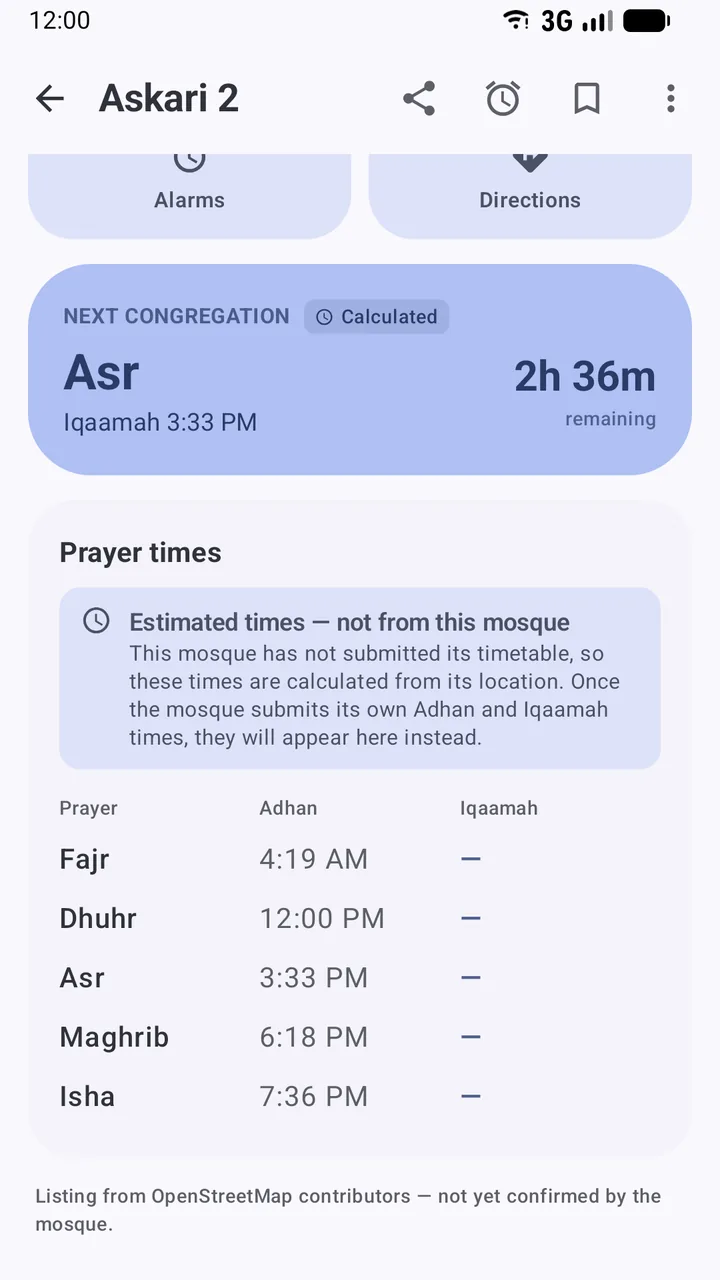
| Estimated prayer times | Yes | Calculated on the phone from the mosque's location and your calculation settings |
| Prayer alarms | Yes | Scheduled on the phone and set again after a restart |
| Qibla finder | Yes | Uses GPS and the compass; falls back to your last known position |
| Pray Now | No | Needs live data about nearby congregations |
| Home-screen widget | No | Refreshes about every 30 minutes and needs a connection to do so |
How long saved data lasts
The app keeps what you view in a small store on the phone, up to about 8 MB. Entries older than 30 days are dropped, and when the store is full the oldest go first. Opening a mosque again while online refreshes its copy. Times are shown in each mosque's own time zone, so a saved timetable stays correct when you cross a time zone.
Prayer alarms without a signal
When you switch on a reminder, the app saves the mosque's Adhan and Iqaamah times on the phone and asks Android to wake it at the right minute. No connection is needed for the reminder to ring. After you restart the phone or the app updates, the reminders are set again from the saved times.
The one thing that needs a connection is noticing changes: when you open the app, and about every six hours while you are online, it re-checks each mosque you have a reminder for and moves the reminder if the mosque changed a time. See Set up prayer reminders.
The Qibla finder offline
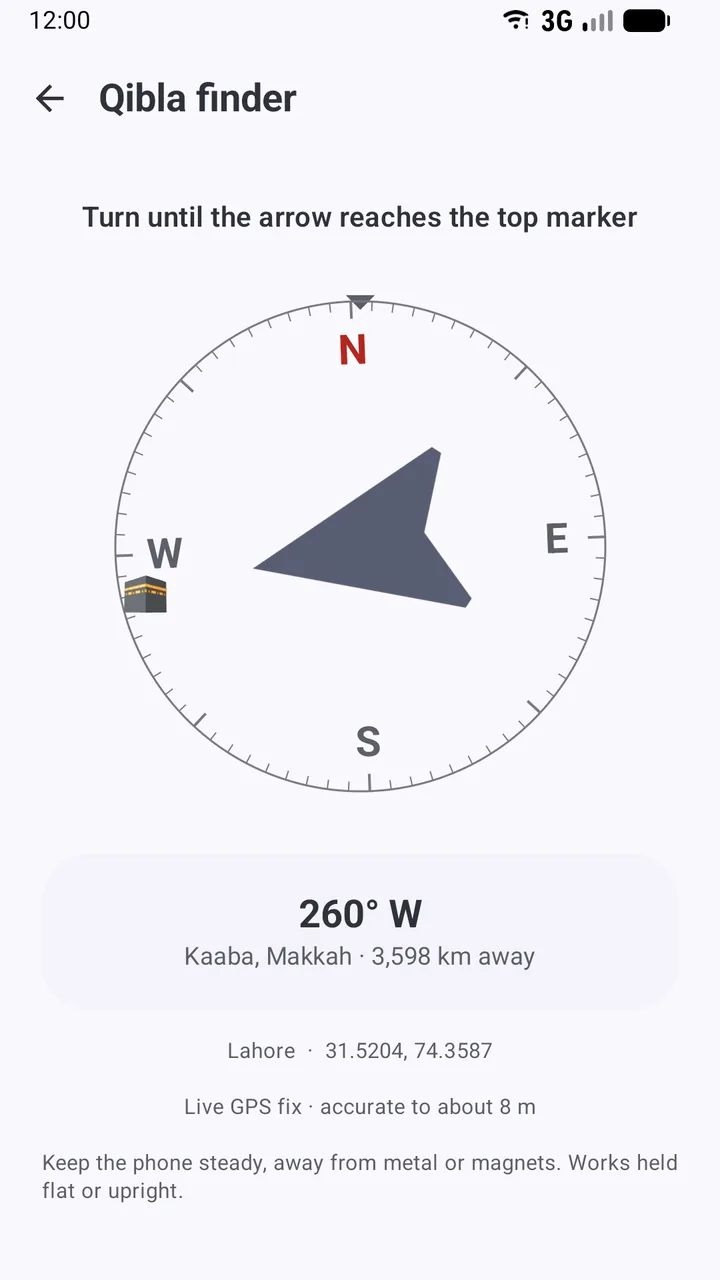
The Qibla compass works out the direction of the Kaaba from your coordinates, entirely on the phone. GPS comes from satellites, not mobile data, so it keeps working abroad or in airplane mode on most phones. If it can't get a fresh fix, the screen says Using your last known position.
Get ready before a trip
- While you still have a connection, open each mosque you are likely to need at your destination. That saves its timetable on the phone.
- Save them if you have an account, so they are easy to find under Saved.
- Set your reminders for those mosques.
- If a mosque shows Estimated times — not from this mosque, check Profile → Calculation method and Asr method match the local convention.
- Open the Qibla finder once to check your compass is calibrated.
The website offline
The website at sl.abdohoo.app can be installed to your home screen from your browser's menu. Pages you have opened while signed out may be available from your browser's cache when you are offline; otherwise it shows an offline page. For dependable offline use, the Android app is the better choice.
For why this matters, read Why offline prayer times matter.
Frequently asked questions
Can I see prayer times without internet?
Yes, for any mosque you have opened in the app in the last 30 days. Its timetable is kept on your phone and shown with an Offline — showing saved data banner. Estimated times for mosques without a timetable are calculated on the phone.
Will my prayer alarms ring in airplane mode?
Yes. Alarms are scheduled on the phone itself and don't need a connection. They are also set again automatically after a restart.
Does the Qibla finder need mobile data?
No. It uses your phone's GPS and compass. If there's no fresh GPS fix, it uses your last known position and says so.
What needs a connection?
Pray Now, searching for mosques you haven't looked at before, saving or unsaving mosques, reports and anything you post as a mosque administrator.
Was this article helpful?
Related articles
- Set up prayer reminders and fix alarms that don't ringOpen a mosque, tap Alarms, choose Adhan or Iqaamah and switch on the prayers you want. If reminders are late or silent, allow exact alarms and notifications and lift battery limits.
- Add the Salah Locator prayer times widget to your home screenLong-press your home screen, open Widgets, drag out Salah Locator's Prayer times widget, pick a mosque and a theme, and tap Add widget. It shows the next prayer and today's five times.
- Read a mosque's timetable: Adhan, Iqaamah and estimated timesAdhan is the call to prayer; Iqaamah is when the congregation stands. A note under each timetable says whether the times come from the mosque, a correction or a calculation.
- Find Jumuʼah, Ramadan, Tarawih and Eid prayer timesJumuʼah has its own row in each mosque's timetable. In Ramadan a mosque can switch to a seasonal timetable and publish Sehri, Iftar, Tarawih and Eid times, which appear as the dates approach.
Need a hand?
Email us what you see on screen — a screenshot helps — and we'll walk you through it.