Delete your Salah Locator account and understand your data
In short
In the app, open Profile, tap Delete account and confirm. On the website, open Settings and choose Delete account. Deletion is immediate and removes your saved mosques and notifications.
On this page
You can delete your Salah Locator account at any time without contacting anyone. In the app, open Profile, tap Delete account and confirm; on the website, open Settings and choose Delete account. Your account, your saved mosques and your notifications are removed immediately and you are signed out. You never need an account to browse mosques or prayer times in the first place.
Delete your account in the app
- Open the Profile tab. You need to be signed in.
- Scroll down and tap Delete account.
- Read the message: This permanently deletes your account and personal data (saved mosques, notifications). This can't be undone.
- Tap Delete.
Delete it on the website
- Sign in at sl.abdohoo.app and open Settings from your dashboard.
- Under Delete account, tap Delete my account.
- Enter your password under Confirm your password to delete.
- Tap Permanently delete.
Can't sign in? Email support@abdohoo.app from the address you registered with and ask for your account to be deleted. Emailed requests are completed within 30 days.
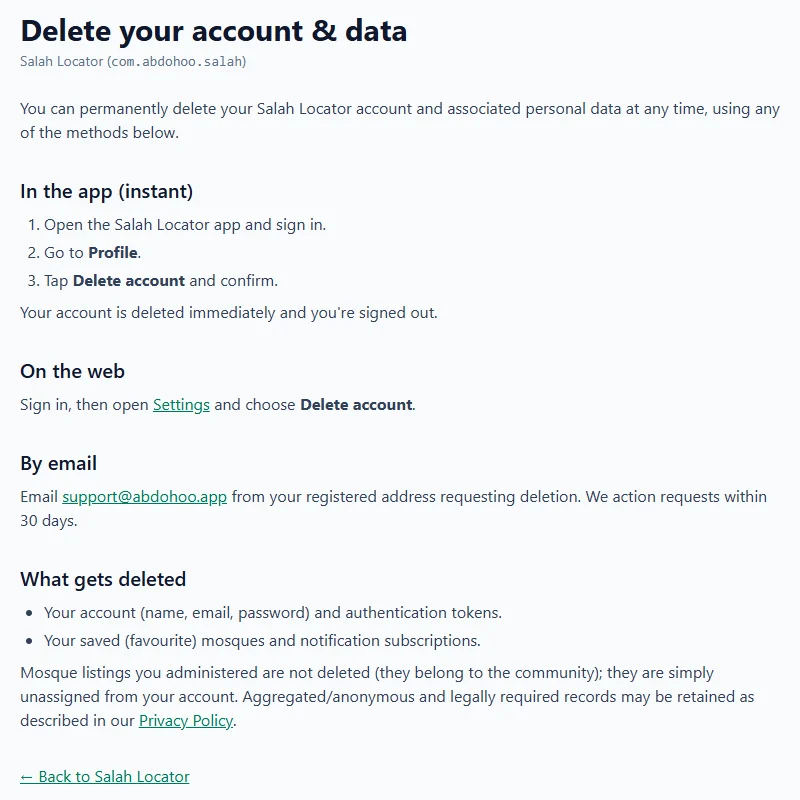
What is deleted, and what stays
Deleted:
- your account: name, email, password and sign-in tokens
- your saved mosques and notification subscriptions
Kept:
- Mosque listings you managed. They belong to the community, so they are unassigned from your account rather than deleted. If you run a mosque, arrange for someone else to take it on first.
- Anonymous or legally required records, as described in the Privacy Policy.
Prayer alarms, widget settings and saved timetables are stored on your phone, not in your account, so deleting the account doesn't touch them. To remove them, turn the alarms off or uninstall the app. (Android's own device backup may keep a copy of app settings; your sign-in is never included.)
What Salah Locator collects
- Account details, if you create an account: your name, email, an encrypted password, and a phone number if you choose to add one.
- Your saved mosques, and for mosque administrators, what you publish.
- Location, only when you use it. When you tap Use my location, open Pray Now or the Qibla finder, your coordinates are sent to find nearby mosques. No location history is kept, location isn't linked to your identity, and the app never uses it in the background.
- Crash reports. If the app crashes, it sends the app version, device model, Android version and the technical error, with no name, email or location.
- An anonymous install identifier. On first launch the app registers itself with the server so later requests can be recognised as coming from a real install. It isn't linked to your name, account or location.
What Salah Locator doesn't do: show ads, collect an advertising ID, use advertising or cross-site tracking SDKs, sell personal data, or access your contacts, photos, microphone or background location. The website counts page views with Cloudflare Web Analytics, which uses no cookies and can't recognise you between visits.
Change your details instead
To change your name, email, phone or password without deleting anything:
- App: Profile → Edit profile. To set a new password, enter your Current password first. Changing your email means verifying the new address.
- Website: Settings, then Save profile or Change password.
Sign out in Profile signs you out on that phone without deleting anything.
For more on what an account adds, see Save your favourite mosques. To start again from scratch, see Install and set up Salah Locator.
Frequently asked questions
How do I delete my Salah Locator account?
In the app, open Profile, tap Delete account and confirm with Delete. On the website, sign in, open Settings, choose Delete my account and confirm your password. You can also email support@abdohoo.app from your registered address.
What happens to a mosque I manage if I delete my account?
The mosque listing is not deleted, because it belongs to the community. It is simply unassigned from your account. Hand it over to someone else first if you want it to stay looked after.
Does Salah Locator store my location?
No location history is kept. Your coordinates are sent only to find nearby mosques, are not linked to your identity, and are used only while you are using the app, never in the background.
Does Salah Locator show ads or sell data?
No. There are no ads, no advertising ID and no advertising or tracking SDKs, and personal data is never sold.
Was this article helpful?
Related articles
- Install Salah Locator and set it up on your Android phoneInstall Salah Locator free from Google Play (Android 8.0 or later), then tap the location button on Find and allow location. Mosques, timetables and Pray Now work without an account.
- Save your favourite mosques and follow their updatesSign in, then tap the bookmark on a mosque in the app or the star on the website. Saved mosques appear under Saved on both, and you are notified of their new announcements and events.
- Privacy: what Samee stores, and how to delete itSamee keeps your sessions, findings with short audio clips, tracks and practice, linked to an anonymous key or your account. Identify audio is discarded. Delete a session, or erase everything.
- Find the nearest mosque and change the search radiusOn the website, tap Use my location and choose 5, 10, 15 or 25 km; results are sorted by distance and can be shown on a map. In the app, Find lists mosques within 15 km of you.
Need a hand?
Email us what you see on screen — a screenshot helps — and we'll walk you through it.