Find the nearest mosque and change the search radius
In short
On the website, tap Use my location and choose 5, 10, 15 or 25 km; results are sorted by distance and can be shown on a map. In the app, Find lists mosques within 15 km of you.
To find the nearest mosque, open sl.abdohoo.app or the Salah Locator app and share your location. The website lists mosques within 10 km, sorted by distance, and lets you change the radius to 5, 15 or 25 km or show the results on a map. In the app, the Find tab lists mosques within 15 km of you as soon as you allow location.
On the website
- Go to sl.abdohoo.app. Find is the home page.
- Tap 📍 Use my location and allow your browser to share your location.
- Results appear under Nearby mosques, closest first, with the distance on each card.
- To change the radius, use the menu next to Showing mosques within and choose 5 km, 10 km, 15 km or 25 km.
- Tap clear to go back to searching by name.
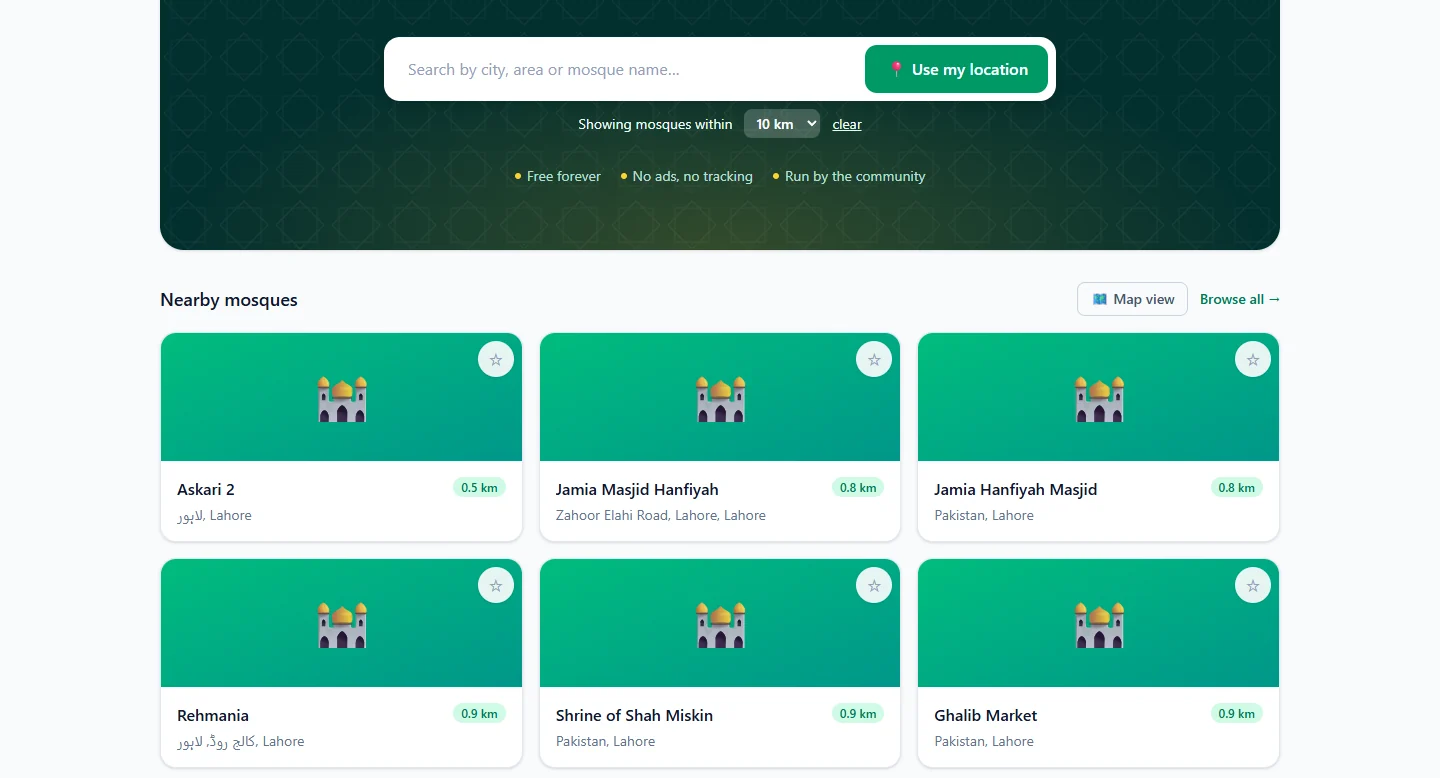
On your first visit the site guesses your area from your internet connection so that results appear straight away. It says Estimated location when it does this; tap Use my exact location for GPS accuracy. You can also set your area from the 📍 location menu at the top of every page: type a town into Search for a town or city… and choose it.
Prefer a name? Type a mosque, area or city into Search by city, area or mosque name… instead.
See the results on a map
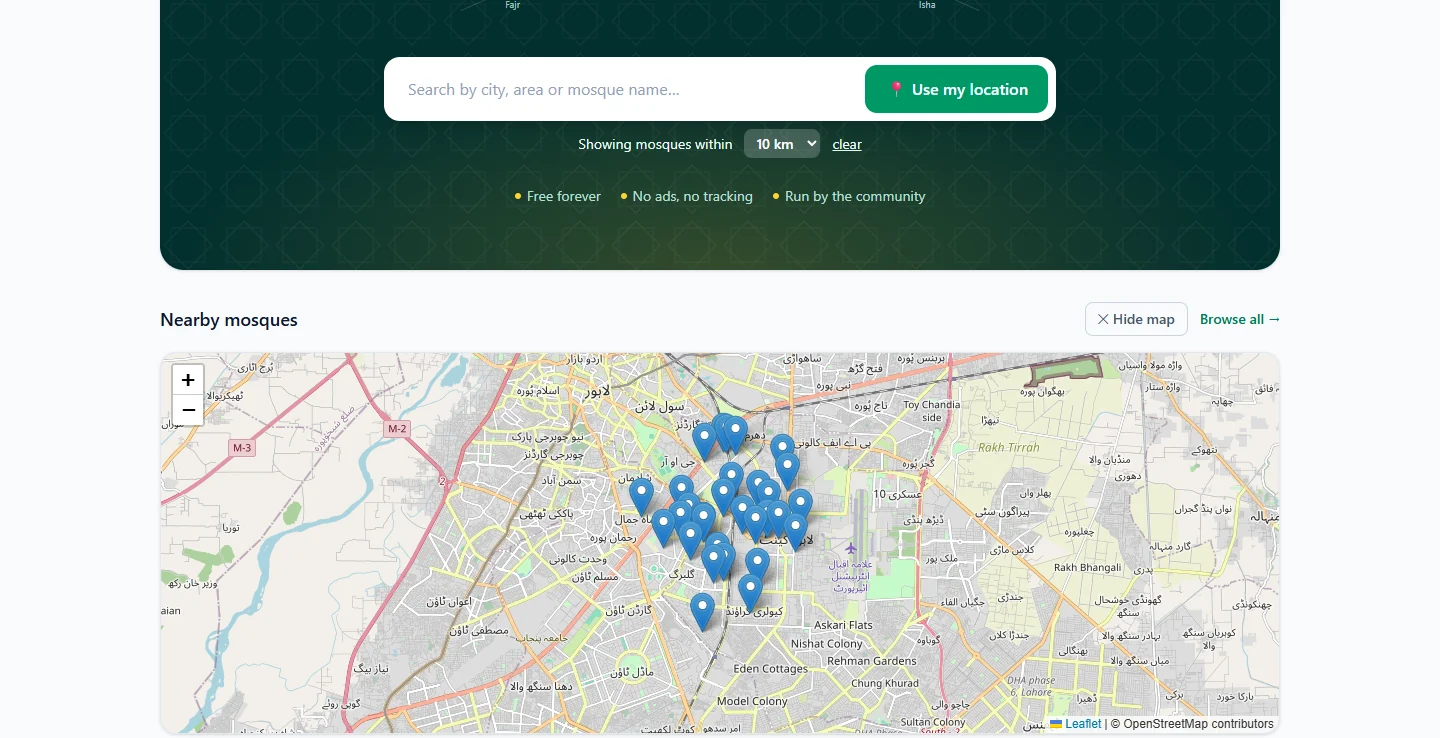
Tap 🗺 Map view above the results. Each mosque appears as a pin on an OpenStreetMap map; tap a pin to open its page. Tap Hide map to go back to the list.
In the Android app
- Open the Find tab.
- Tap the round location button next to Search by name, city or area and allow location.
- The list changes to Mosques near you, with Showing mosques near and your area above it. Each card shows the distance.
- Pull the list down to refresh it after you've moved.
The app searches 15 km around you. For a wider or narrower area, search by city or area name, or use the website. Without a connection, Find shows the last list it loaded.
Browse the whole directory
Browse is for searching beyond your immediate area.
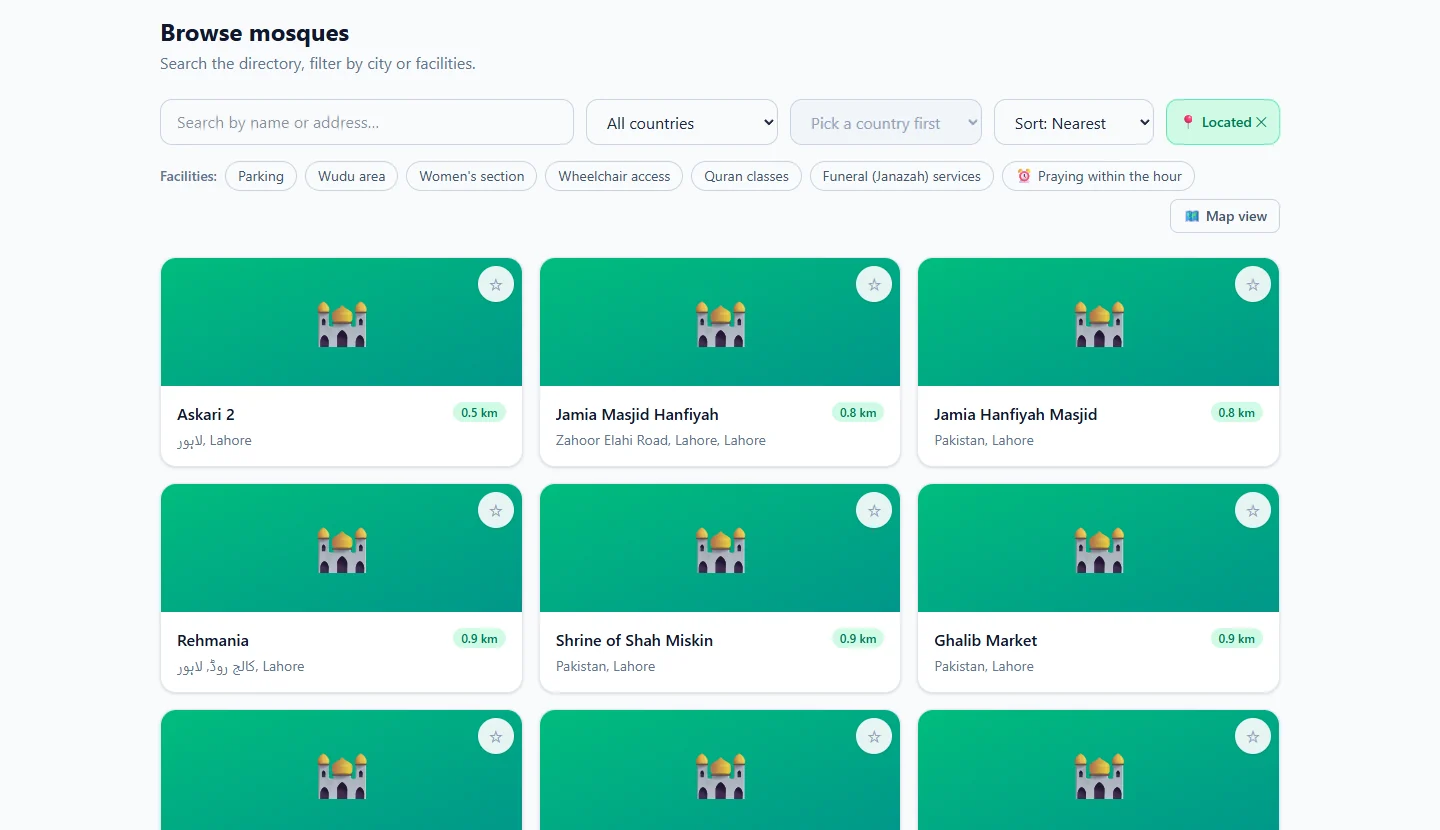
On the website, Browse mosques lets you:
- search by name or address
- choose a country from All countries, then a city
- sort by Sort: Name, Sort: Nearest (after 📍 Use my location) or Sort: Newest
- filter by facilities: Parking, Wudu area, Women's section, Wheelchair access, Quran classes and Funeral (Janazah) services
- switch to Map view
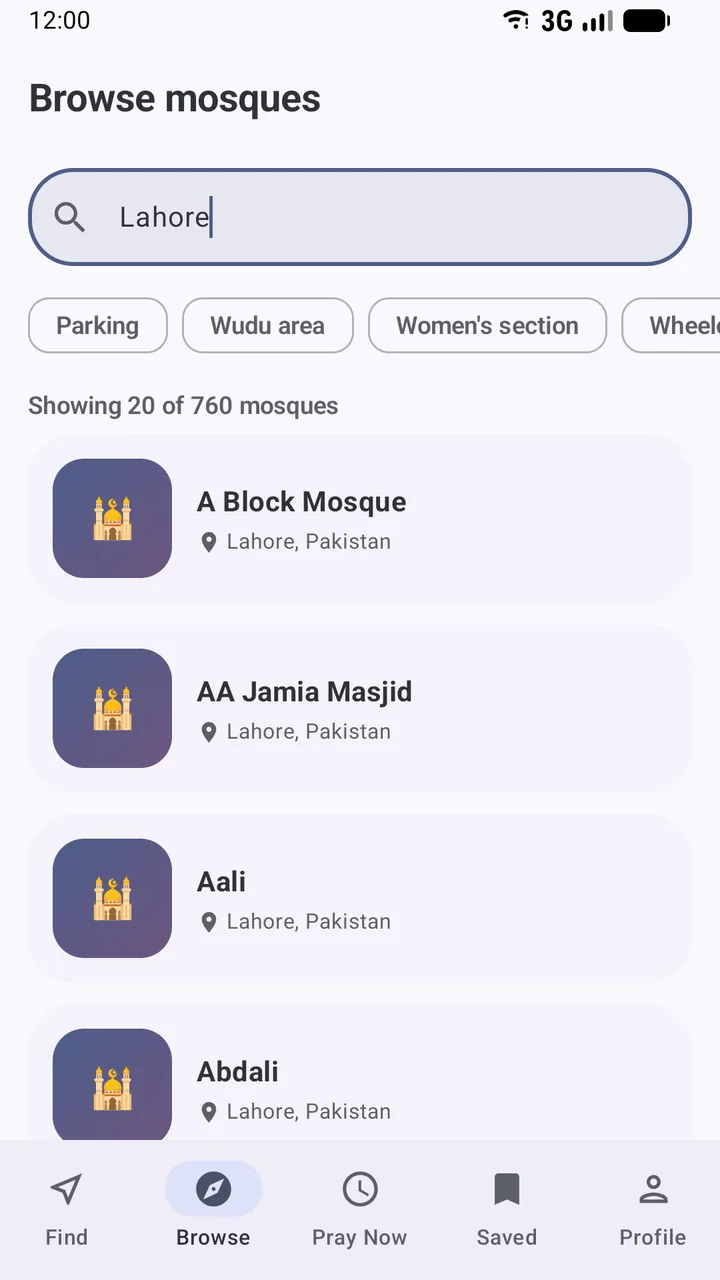
In the app, the Browse tab has Search the directory and the same facility chips, and tells you how many mosques match, for example Showing 20 of 760 mosques. Scroll down to load more.
A note on listings
Many mosques were added from OpenStreetMap and say Listing from OpenStreetMap contributors — not yet confirmed by the mosque. Their details come from public map data, and most have no timetable yet. If you run or attend one, you can add or claim it.
Found a mosque? Save it for next time, or use Pray Now to see which congregation you can still catch.
Frequently asked questions
How do I change the search radius?
On the website, after you share your location, use the Showing mosques within menu under the search box and pick 5, 10, 15 or 25 km. The Android app's Find tab searches a fixed 15 km around you.
Why does the website show a city I'm not in?
On your first visit the site estimates your area from your internet connection and labels it Estimated location. Tap Use my exact location to switch to your device's GPS, or pick a town from the location menu at the top of the page.
Can I see mosques on a map?
Yes. On the website's Find and Browse pages, tap Map view to see the results as pins. Tap a pin to open the mosque's page.
Can I filter mosques by facilities?
Yes. On Browse, tap Parking, Wudu area, Women's section, Wheelchair access, Quran classes or the Janazah services chip to show only mosques that list that facility.
A mosque near me is missing. What can I do?
Anyone can add the mosque they attend. Create an account and choose Register a mosque; see the guide for adding or claiming a mosque.
Was this article helpful?
Related articles
- Use Pray Now to catch a congregation near youPray Now picks the current prayer and lists nearby mosques whose Iqaamah is still ahead, soonest first, highlighting the earliest one and the one that gives you most time to get there.
- See a mosque's announcements, events and live streamsOpen the mosque's page: live streams, announcements (pinned first) and upcoming events sit below the timetable. Save the mosque to be notified when it posts something new.
- Save your favourite mosques and follow their updatesSign in, then tap the bookmark on a mosque in the app or the star on the website. Saved mosques appear under Saved on both, and you are notified of their new announcements and events.
- Install Salah Locator and set it up on your Android phoneInstall Salah Locator free from Google Play (Android 8.0 or later), then tap the location button on Find and allow location. Mosques, timetables and Pray Now work without an account.
Need a hand?
Email us what you see on screen — a screenshot helps — and we'll walk you through it.