Samee · Help
Samee help centre
Names a Quran recitation, and follows a reciter word by word.
Getting started
Open Samee, allow the microphone and name your first recitation.
- What Samee is and how to start using it in your browserSamee listens to Quran recitation. It names the surah, ayah and reciter, follows a reciter word by word to mark mistakes, and helps you practise. Open samee.abdohoo.app; no sign-up needed.
- Allow the microphone for Samee, and why it needs HTTPSTap the star or Start listening, then choose Allow when the browser asks for the microphone. If you blocked it, re-allow it in the site settings. Browsers only share the microphone over HTTPS.
- Install Samee on your phone or computer like an appOpen samee.abdohoo.app, then use your browser's Install app or Add to Home Screen option. Samee then opens full screen from its own icon, with shortcuts to Listen, Practise and Progress.
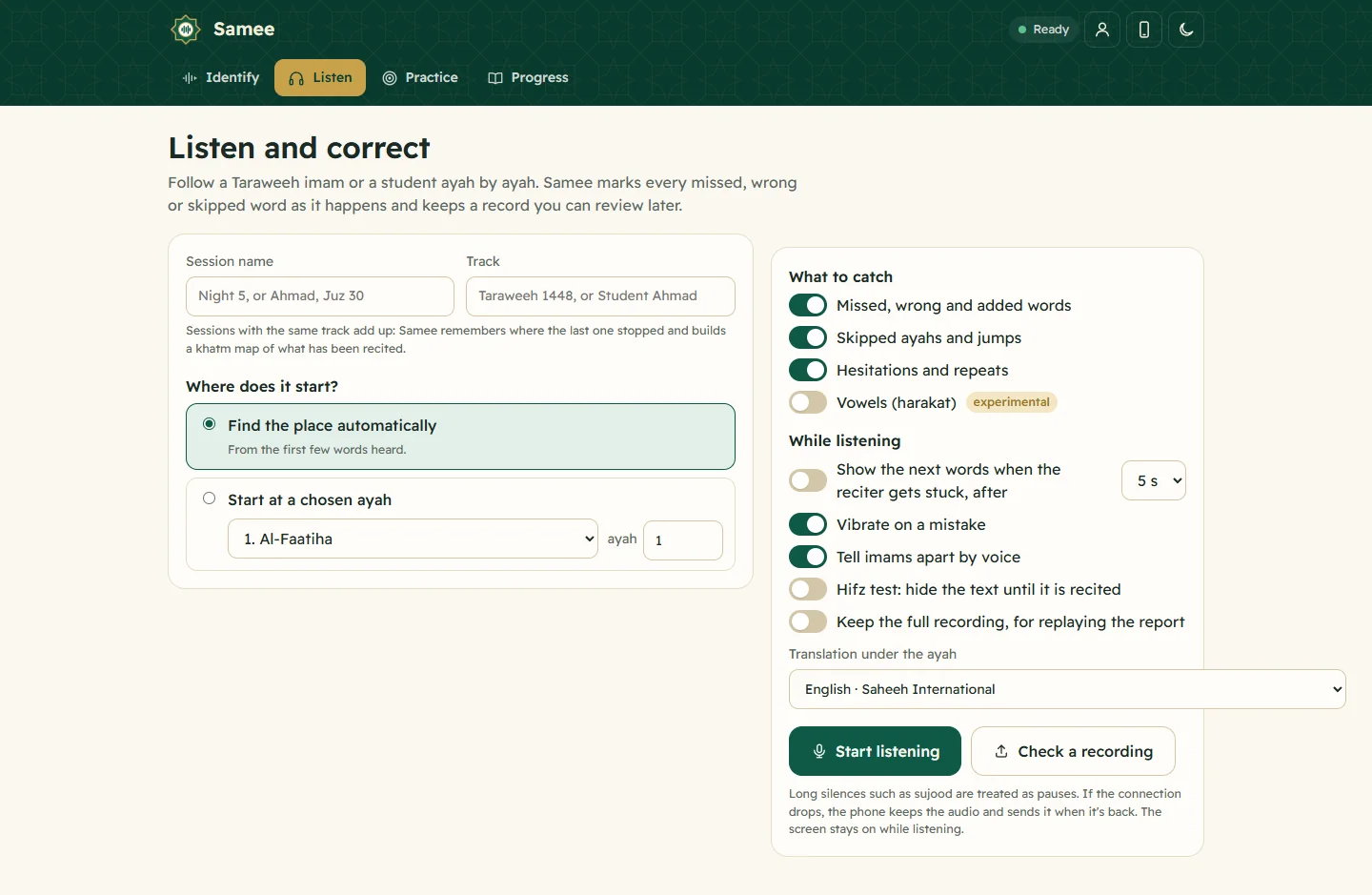
- Show a Quran translation under each ayah, in your languageOn Listen, pick a translator from Translation under the ayah, or Arabic only. The choice applies to Identify, Listen and Practice in that browser. Practice can also read a translation aloud.
Identify a recitation
Name the surah, ayah and reciter from a phone held to the sound, or from a file.
- Identify a Quran recitation from sound or from a fileOn Identify, tap the star and hold the phone near the recitation for 6 to 15 seconds, or tap Identify a file. Samee names the surah, the ayahs and, where it can, the reciter.
- Read the identify result: surah, ayah, reciter and confidenceThe result names the surah and ayah range with its juz and page, shows the ayahs, the reciter and how it was found, and a confidence bar. Buttons let you follow along, practise or play the reciter.
Listening & corrections
Follow a reciter word by word: mistakes, skipped ayahs, prompting and turns.
- Follow a Taraweeh imam or a student live, word by wordOn Listen, name the session and its track, choose where it starts and tap Start listening. Samee finds the place, follows each word and lists missed, wrong and skipped words as they happen.
- What each marked mistake means: missed, wrong, skipped and moreSamee sorts what it hears into mistakes (missed, wrong or added words, skipped ayahs, jumps), minor notes (sounded different, repeated, hesitated, vowel) and information such as pauses.
- Show the next words when a reciter gets stuck (talqeen)Turn on Show the next words when the reciter gets stuck and pick 3, 5 or 8 seconds. When the reciter goes quiet mid-ayah, Samee shows the next few words on screen so you can prompt them.
- Taraweeh in Samee: rak'ahs, sajdah, qunoot and imams taking turnsSamee expects Taraweeh: a silent basmalah isn't a missed word, each rak'ah's Al-Fatiha is recognised, the sajdah and qunoot are labelled, and imams are told apart by voice.
Sessions, tracks & khatm
Saved sessions, tracks per khatm or student, and the khatm map.
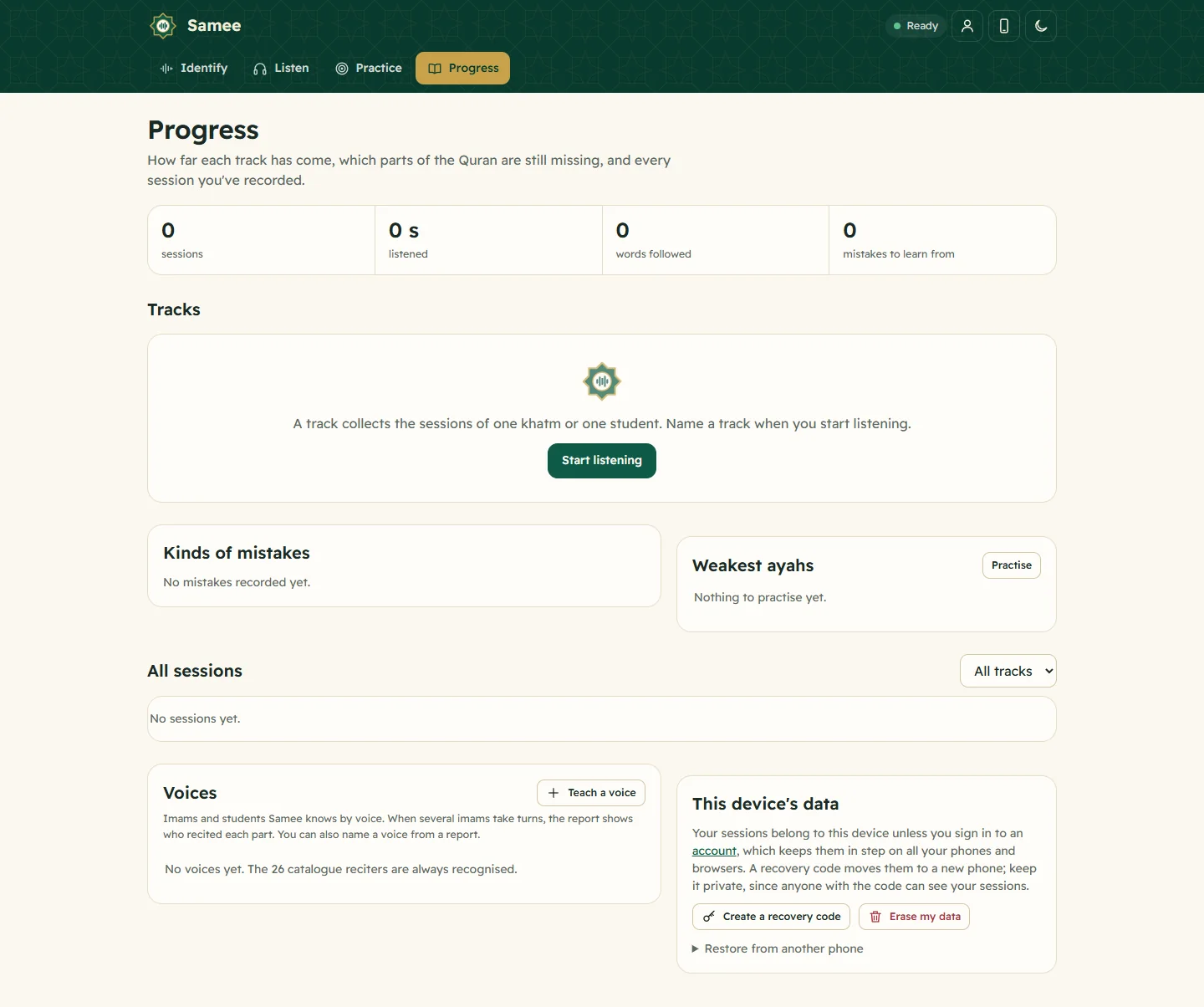
- Review a session: the report, its clips and the full recordingEvery Listen session is saved with a report: the range recited, findings grouped by ayah with a clip each, and tools to confirm or dismiss, add notes, print, export a spreadsheet or delete.
- Tracks and the khatm map: see how much has been recitedGive sessions the same track name, such as Taraweeh 1448 or Student Ahmad, and Samee continues each from where the last stopped and draws a khatm map of the mushaf, page by page, with the gaps.
Practice & hifz test
Work on the ayahs with the most mistakes and test your memory.
- Practise your weak ayahs: listen on repeat, then recitePractice lists the ayahs with the most mistakes from your sessions. Pick one, play a reciter up to seven times, then tap Start reciting. Three clean attempts in a row and the ayah counts as mastered.
- Test your hifz with hidden text, and the experimental vowel checkTurn on Hide the text while I recite in Practice, or the hifz test on Listen: words appear only once you recite them. After a practice attempt, Check my vowels flags harakat that may differ.
Account, devices & privacy
Using Samee on several phones, recovery codes and your data.
- Account or anonymous device: recovery codes and adding a deviceWithout an account, each browser keeps its own sessions; a six-word recovery code moves them. An account (username and password, no email) shares them across devices. Add one with an 8-character code.
- Privacy: what Samee stores, and how to delete itSamee keeps your sessions, findings with short audio clips, tracks and practice, linked to an anonymous key or your account. Identify audio is discarded. Delete a session, or erase everything.
Samee on the blog
More →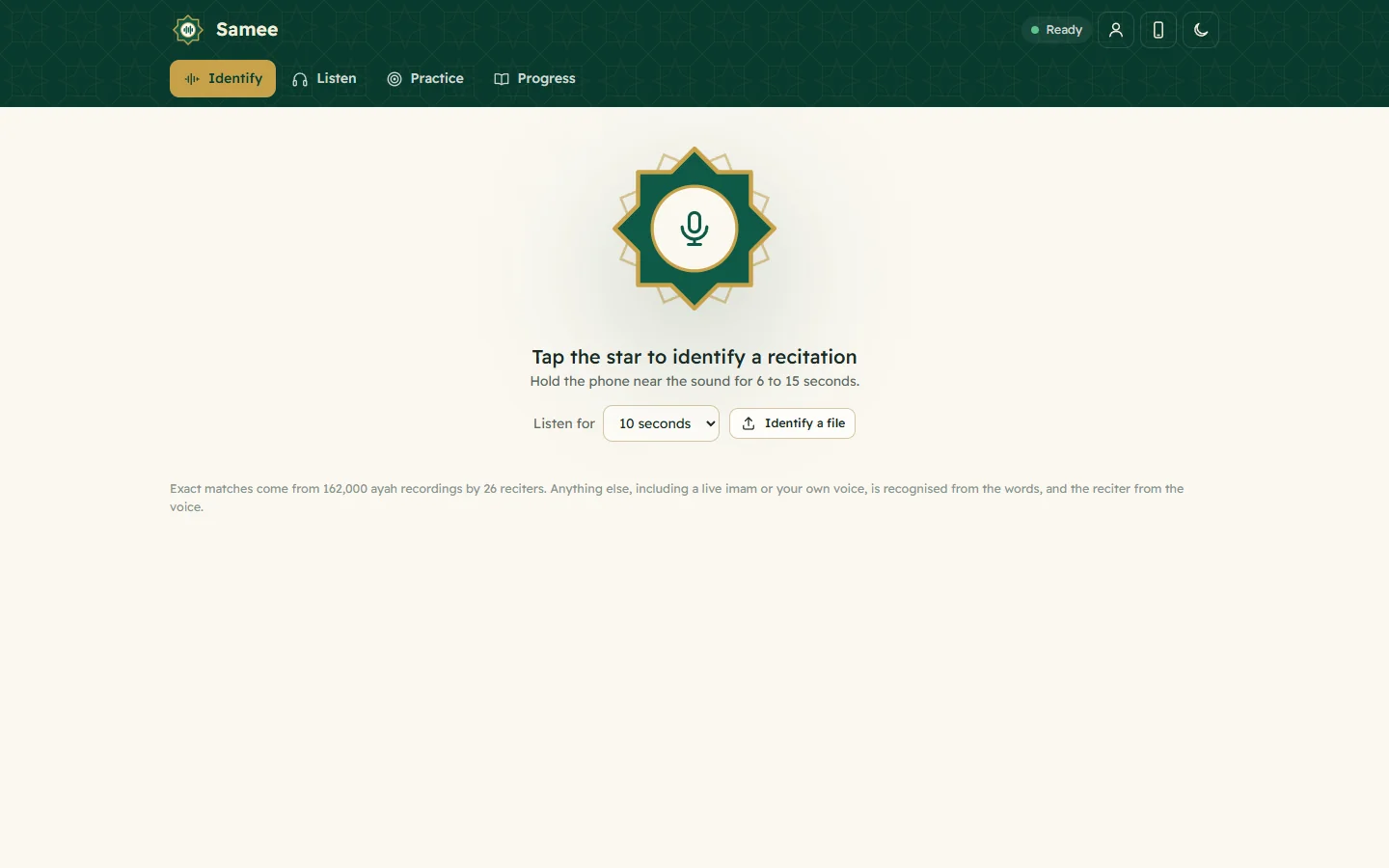
Which surah is this? How to find the ayah being recited
Let a recognition app listen for 10 seconds, or catch a few distinctive Arabic words and search for them in a Quran search. Refrains, names, openings and the context of the prayer narrow it down.
What is talqeen? Prompting a Quran reciter who gets stuck
Talqeen means having someone take words from you. In Quran learning it is teaching by recitation and repetition, and prompting a reciter who stops with the next words; in prayer, prompting the imam.
How Quran teachers can track a student's hifz progress
Keep one record per student: what's memorised, what was recited each lesson, where the mistakes are, and when each part was last revised. A register works; a listener app adds clips and a khatm map.
Can't find what you need?
Tell us what you were trying to do in Samee and we'll help — and add the answer here.