Taraweeh in Samee: rak'ahs, sajdah, qunoot and imams taking turns
In short
Samee expects Taraweeh: a silent basmalah isn't a missed word, each rak'ah's Al-Fatiha is recognised, the sajdah and qunoot are labelled, and imams are told apart by voice.
On this page
Samee is built for following Taraweeh. It knows that every rak'ah opens with Al-Fatiha and then continues the khatm, that long silences are ruku and sujood, and that a silent basmalah is not a missed word. A pause right after an ayah of prostration is labelled a Sajdah of recitation, the qunoot of Witr is labelled a Du'a, and when imams take turns, Samee tells them apart by voice and shows who recited what.
Rak'ahs and Al-Fatiha
In Taraweeh the imam recites Al-Fatiha, then continues from where the last rak'ah stopped. Samee expects exactly that:
- When Al-Fatiha starts again, the report notes Continued at with Al-Fatiha: a new rak'ah began. It is not a jump and not a mistake.
- When the imam carries on after Al-Fatiha, Samee notes Continued after Al-Fatiha at and the place. If he resumed a few ayahs later than where the previous rak'ah ended, it says how many ayahs were left between, so you can see the gap on the khatm map.
- The basmalah at the start of a surah is optional for Samee. Reciting it silently, as many imams do, is never a missed word.
Ruku, sujood and other silences
Six seconds or more of silence is a Paused note, not a hesitation. After a pause the recitation may resume anywhere, so Samee looks for the place again. Takbir, Sami'a Allahu liman hamidah, Rabbana wa laka al-hamd, Amin, the isti'adha and the salam are recognised as Not Quran text and aren't checked against the mushaf.
Long sujood in a room with a fan or air conditioning is still recognised as silence, because Samee listens for a voice rather than just for quiet.
The sajdah of recitation
Some ayahs are followed by a prostration of recitation (sujud al-tilawah). Their places are marked in the mushaf Samee uses. When the imam pauses right after reciting one of them, Samee records a Sajdah of recitation with the ayah and how long it lasted, for example Prostration after ayah 7:206, 9 s, rather than a pause or a hesitation.
Scholars differ on how many places of prostration there are (the schools count between eleven and fifteen; the common printed mushaf marks fifteen) and on whether the prostration is obligatory or recommended. Samee only labels the pause; it doesn't take a view. Follow your imam and your school.
The qunoot of Witr
When the imam recites the qunoot, Samee recognises the common wordings, such as Allahumma-hdina fiman hadayt and Allahumma inna nasta'inuka, and records a Du'a: Qunoot of Witr. Not Quran text, so not checked. Other supplications are recorded as A supplication. They are not counted as added words.
Practice differs between the schools on the qunoot in Witr: whether it is said all year or in the second half of Ramadan, before or after ruku, and with which wording. Samee recognises it either way.
Imams taking turns
Many mosques share Taraweeh between two or more imams. With Tell imams apart by voice switched on in the Listen setup (it's on by default):
- Samee listens to about 12 seconds of each new stretch of recitation and compares the voice with the ones it knows: voices you taught it first, then its 26 catalogue reciters.
- A known voice is named; an unknown one becomes Voice 1, Voice 2 and so on, consistently through the session.
- The live screen shows who is reciting, and a message such as Voice 2 is reciting now when the voice changes.
- After the session, Session saved says how many voices took turns. The report shows each voice with how long they recited and, when the full recording was kept, shades the timeline by voice. Each finding shows whose turn it was.
Teach Samee a voice
From a report: if the session kept the full recording, an unknown voice has a Name this voice button. Type the imam's name; Samee learns the voice from the longest stretch they recited and recognises them in new sessions.
From recordings:
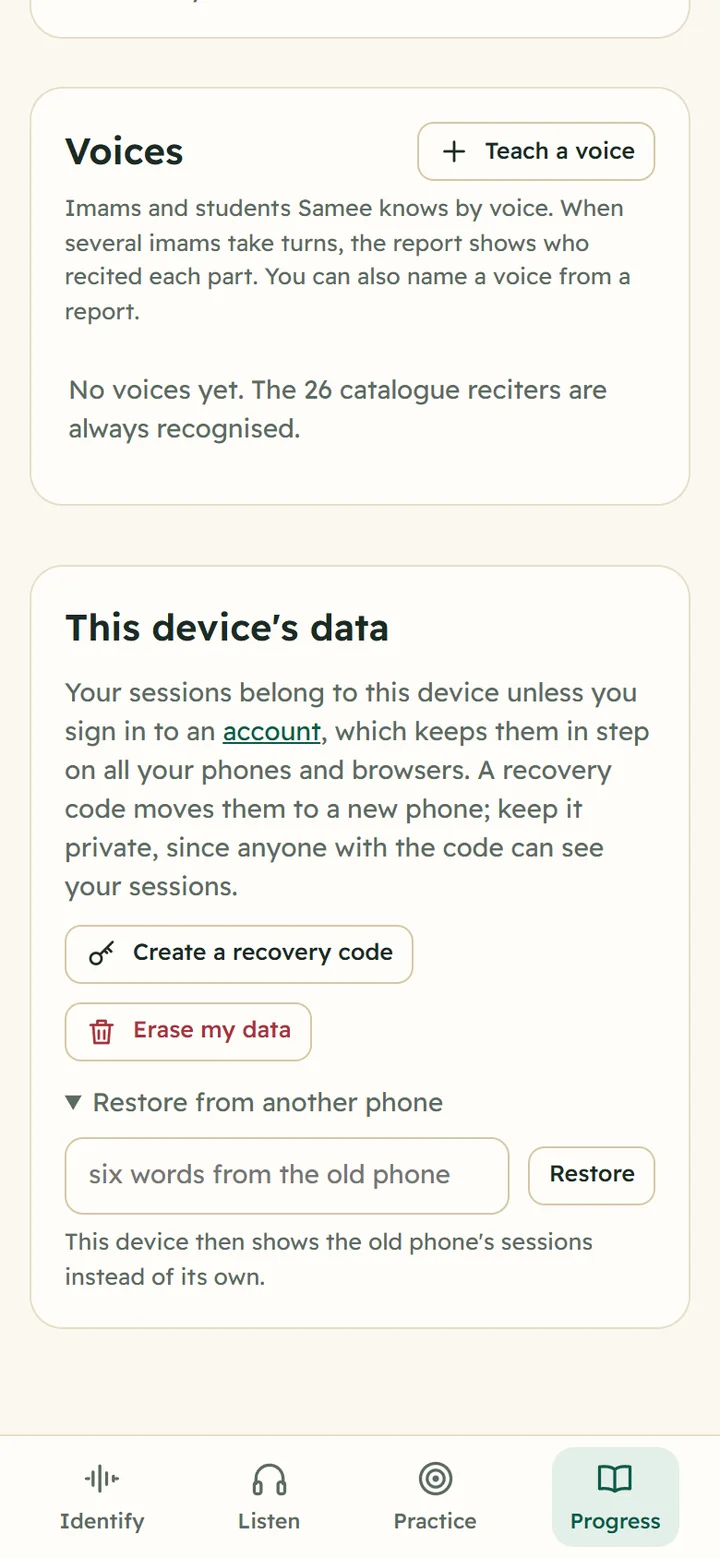
- Open Progress and find Voices.
- Tap Teach a voice.
- Type the Name, then choose Recordings of this person, at least 10 seconds in total.
- Tap Save voice.
Samee keeps numbers that describe the voice, not the recording. Deleting a voice later leaves past reports labelled as they were.
Before Taraweeh
- Give the session a track for the Ramadan khatm, so each night continues from the last (tracks).
- Turn on Keep the full recording if you want to name voices or replay the night from the report.
- Set up the phone before the prayer and review the night afterwards. See follow a reciter live.
Frequently asked questions
Will Al-Fatiha at the start of every rak'ah be marked as a jump?
No. Samee recognises Al-Fatiha at the start of a rak'ah, notes that a new rak'ah began, and then expects the imam to continue the khatm where the previous rak'ah stopped.
Is a basmalah recited silently counted as a missed word?
No. The basmalah at the start of a surah is optional for Samee, so leaving it out, or saying it silently, is never a mistake.
How does Samee know which imam recited which part?
With Tell imams apart by voice on, Samee compares each stretch of recitation with the voices it knows: the ones you taught it and its 26 catalogue reciters. A voice it doesn't know is called Voice 1, Voice 2 and so on, and you can name it from the report.
How do I teach Samee an imam's voice?
On Progress, under Voices, tap Teach a voice, type the name and choose recordings of that person with at least 10 seconds of recitation in total. Or, in a report with the full recording kept, tap Name this voice.
Was this article helpful?
Related articles
- Follow a Taraweeh imam or a student live, word by wordOn Listen, name the session and its track, choose where it starts and tap Start listening. Samee finds the place, follows each word and lists missed, wrong and skipped words as they happen.
- Show the next words when a reciter gets stuck (talqeen)Turn on Show the next words when the reciter gets stuck and pick 3, 5 or 8 seconds. When the reciter goes quiet mid-ayah, Samee shows the next few words on screen so you can prompt them.
- What each marked mistake means: missed, wrong, skipped and moreSamee sorts what it hears into mistakes (missed, wrong or added words, skipped ayahs, jumps), minor notes (sounded different, repeated, hesitated, vowel) and information such as pauses.
- Identify a Quran recitation from sound or from a fileOn Identify, tap the star and hold the phone near the recitation for 6 to 15 seconds, or tap Identify a file. Samee names the surah, the ayahs and, where it can, the reciter.
Need a hand?
Email us what you see on screen — a screenshot helps — and we'll walk you through it.