Practise your weak ayahs: listen on repeat, then recite
In short
Practice lists the ayahs with the most mistakes from your sessions. Pick one, play a reciter up to seven times, then tap Start reciting. Three clean attempts in a row and the ayah counts as mastered.
The Practice tab is where you fix the ayahs you get wrong. Your weak ayahs lists the ayahs with the most mistakes from your sessions. Pick one, listen to a reciter as many times as you need, then tap Start reciting and recite it yourself. Samee checks every word. Three clean attempts in a row and the ayah counts as mastered.
Your weak ayahs
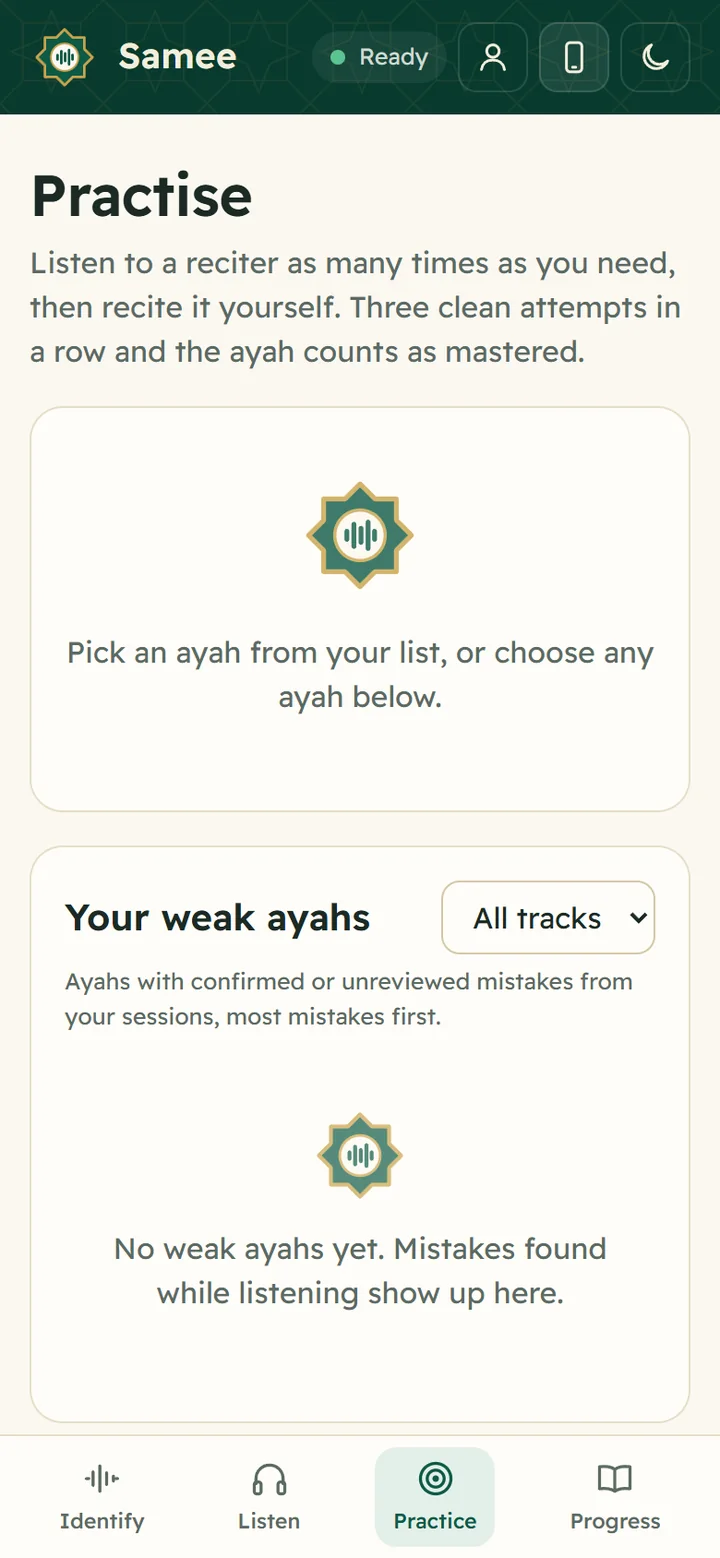
Open Practice. On the right on a computer, or below on a phone, Your weak ayahs lists every ayah with confirmed or unreviewed mistakes from your sessions, most mistakes first. Each line shows:
- the surah and ayah, and the ayah in Arabic;
- how many mistakes in how many sessions, and what kinds (for example missed word, hesitated);
- your progress: Last try had mistakes, Passed 1 of 3, Passed 2 of 3 or Mastered.
Use the All tracks menu to show the weak ayahs of one track only, for example one student.
Dismissing a finding in a report removes it from this list, so review your sessions first. See review a session report.
Practise any ayah
You don't need a mistake to practise. Under Any ayah:
- Choose the surah.
- Set from and to. You can practise up to 10 ayahs at a time.
- Tap Practise.
You can also arrive here from Practise this ayah on an identify result, from the Practise button next to an ayah in a report, or from Weakest ayahs on Progress.
1. Listen
The chosen ayahs appear at the top in Arabic, with your translation underneath if you chose one.
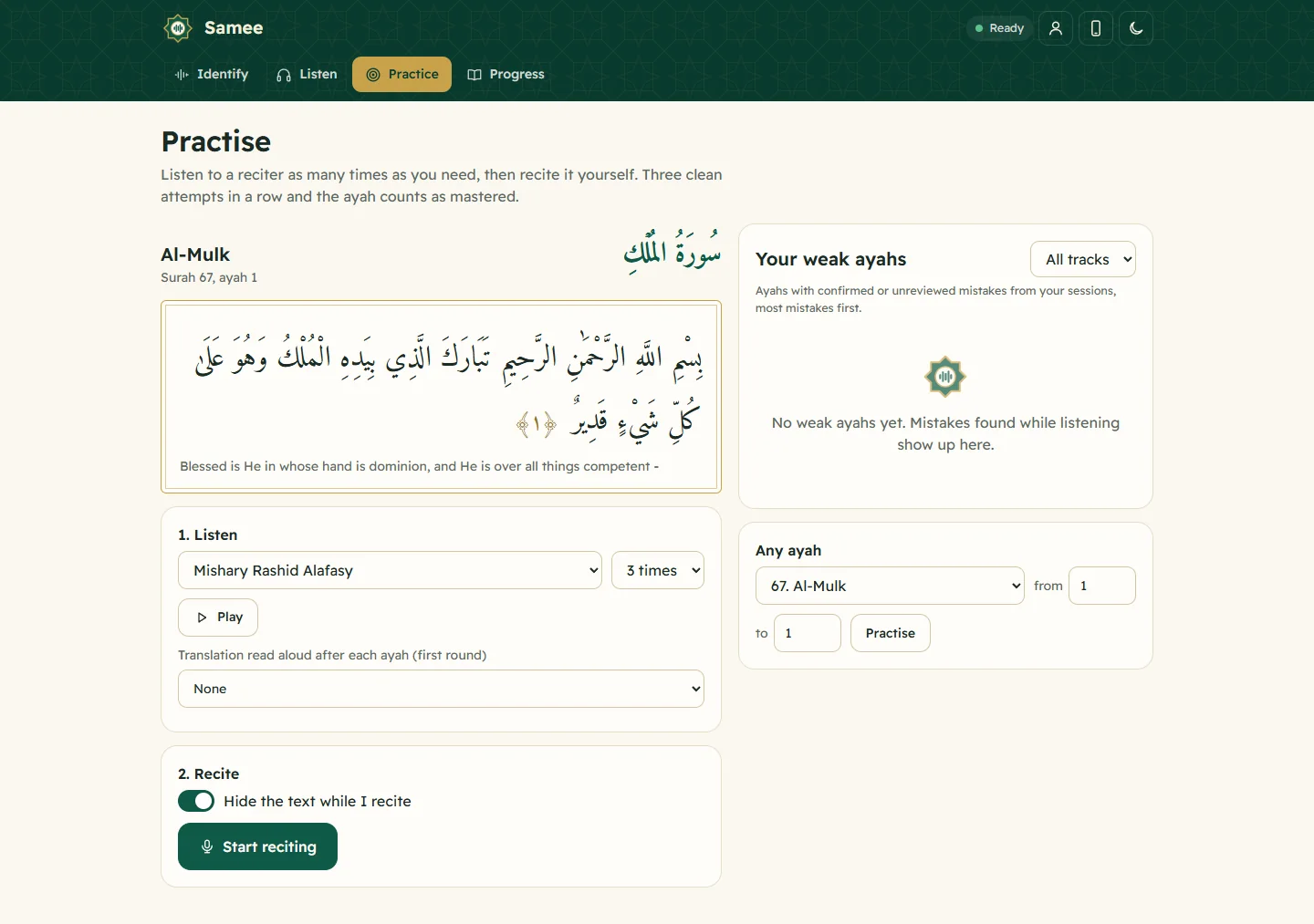
- Choose a reciter from the menu. All 26 catalogue reciters are there, in murattal, mujawwad and teaching styles.
- Choose how many times: once, 3 times, 5 times or 7 times.
- Tap Play. Each ayah is highlighted while it plays, and the line below says, for example, Playing 67:1, round 2 of 3. Tap Stop to stop.
- To hear a translation after each ayah on the first round, choose a reader under Translation read aloud after each ayah (first round).
When it finishes, Samee says Now try it yourself. Listening several times to a teacher's or reciter's recitation before reciting is how many people learn; repeating along with a slow reciter such as Al-Husary's teaching recitation helps with pronunciation.
2. Recite
- Decide whether to Hide the text while I recite. It is on by default; turn it off to read along. Hiding it turns the attempt into a memory test (hifz test).
- Tap Start reciting and recite the ayahs from the beginning.
- Samee shows Following while it tracks you, colours each word as you say it, and stops by itself when you reach the end (Reached the end). Or tap I'm done.
With the text hidden, if you stop for about 4 seconds Samee shows A hint: the next words.
The result
After a moment of Checking, you see one of:
- Clean recitation: All N words, no mistakes. One step closer to mastered.
- N mistakes: Listen once more, then try again. Each mistake is listed with Play so you can hear where you went wrong.
- Not finished: fewer words were recognised than the passage has. Recite the whole passage.
Minor notes, such as a hesitation, are tucked under minor notes. Open the full report to confirm or dismiss findings, and Check my vowels runs the experimental vowel check.
Every attempt is saved as a session called Practice and the surah and ayah, so you can see it under All sessions on Progress; it doesn't count as a track.
A routine that works
- Review last night's session and dismiss what was wrong.
- Open Practice and take the top ayah.
- Listen 3 or 5 times, then recite with the text showing.
- Recite again with the text hidden, until you get Clean recitation three times in a row.
- Move to the next ayah. Come back to mastered ayahs in your next revision.
Samee helps you drill; a teacher still needs to hear your recitation for the finer points of tajwid.
Frequently asked questions
Where does the list of weak ayahs come from?
From your Listen sessions and practice attempts: every ayah with confirmed or not-yet-reviewed mistakes, most mistakes first. Findings you dismissed are left out.
Can I practise an ayah that isn't on my list?
Yes. Under Any ayah, choose the surah and the ayahs, up to 10 at a time, and tap Practise.
When does an ayah count as mastered?
After three clean attempts in a row, meaning every word recited with no mistakes. The list then shows Mastered next to it.
Which reciters can I listen to?
Any of Samee's 26 catalogue reciters, including Mishary Alafasy, Mahmoud Khalil Al-Husary (also his teaching recitation), Al-Minshawi, Abdul Basit and As-Sudais. Samee remembers your choice.
Was this article helpful?
Related articles
- Test your hifz with hidden text, and the experimental vowel checkTurn on Hide the text while I recite in Practice, or the hifz test on Listen: words appear only once you recite them. After a practice attempt, Check my vowels flags harakat that may differ.
- Show a Quran translation under each ayah, in your languageOn Listen, pick a translator from Translation under the ayah, or Arabic only. The choice applies to Identify, Listen and Practice in that browser. Practice can also read a translation aloud.
- Follow a Taraweeh imam or a student live, word by wordOn Listen, name the session and its track, choose where it starts and tap Start listening. Samee finds the place, follows each word and lists missed, wrong and skipped words as they happen.
- Identify a Quran recitation from sound or from a fileOn Identify, tap the star and hold the phone near the recitation for 6 to 15 seconds, or tap Identify a file. Samee names the surah, the ayahs and, where it can, the reciter.
Need a hand?
Email us what you see on screen — a screenshot helps — and we'll walk you through it.