What Samee is and how to start using it in your browser
In short
Samee listens to Quran recitation. It names the surah, ayah and reciter, follows a reciter word by word to mark mistakes, and helps you practise. Open samee.abdohoo.app; no sign-up needed.
On this page
Samee (سامع, "the one who listens") is a Quran recitation companion that runs in your browser at samee.abdohoo.app. Hold your phone up to a recitation and it tells you the surah, the ayah and the reciter. It can also follow a Taraweeh imam or a student word by word, mark missed, wrong and skipped words, keep every session, and help you practise the ayahs you got wrong. You don't need to sign up.
The four parts of Samee
Samee has four tabs. On a phone they sit in the bar at the bottom of the screen; on a computer they are under the Samee name at the top.
| Tab | What it does |
|---|---|
| Identify | Listens for 6, 10 or 15 seconds, or reads a file, and names the surah, ayah and reciter. |
| Listen | Follows a reciter live (or a recording you upload) and marks every missed, wrong or skipped word as it happens. |
| Practice | Lists your weakest ayahs, plays a reciter on repeat, then checks you reciting them, with an optional hifz test. |
| Progress | Shows your sessions, your tracks (one per khatm or per student) with a khatm map, and your data. |
Your first identification
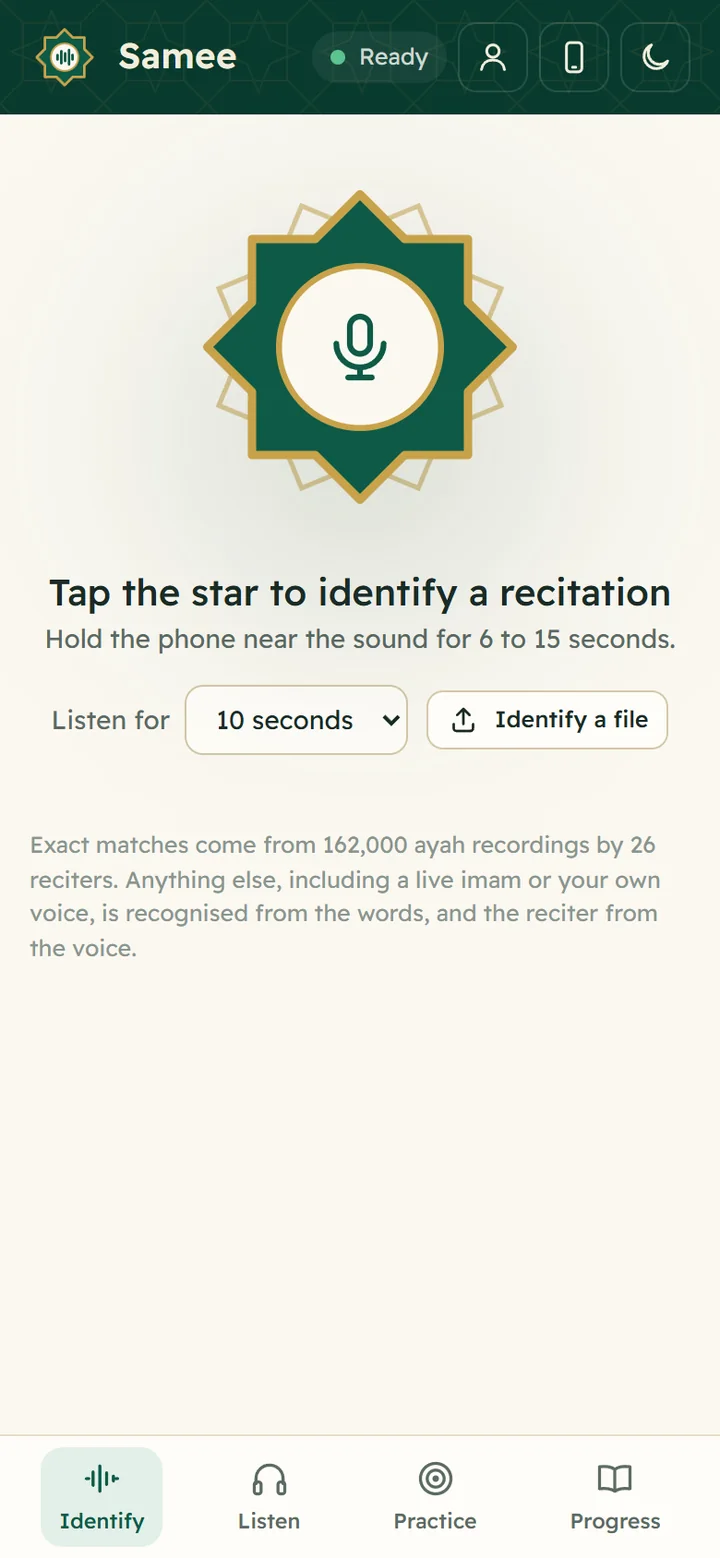
- Open samee.abdohoo.app in Chrome, Safari, Edge or another up-to-date browser.
- Wait until the pill at the top says Ready.
- Hold the phone near the recitation: a radio, a video, a mosque loudspeaker or someone reciting.
- Tap the star. The first time, your browser asks to use the microphone; allow it.
- Samee listens for 10 seconds (change it with Listen for), then shows the surah, the ayah and, where it can, the reciter.
If the browser doesn't ask for the microphone, or says it is blocked, see allow the microphone. The result also offers to follow the recitation from that ayah, or to practise it.
The buttons at the top
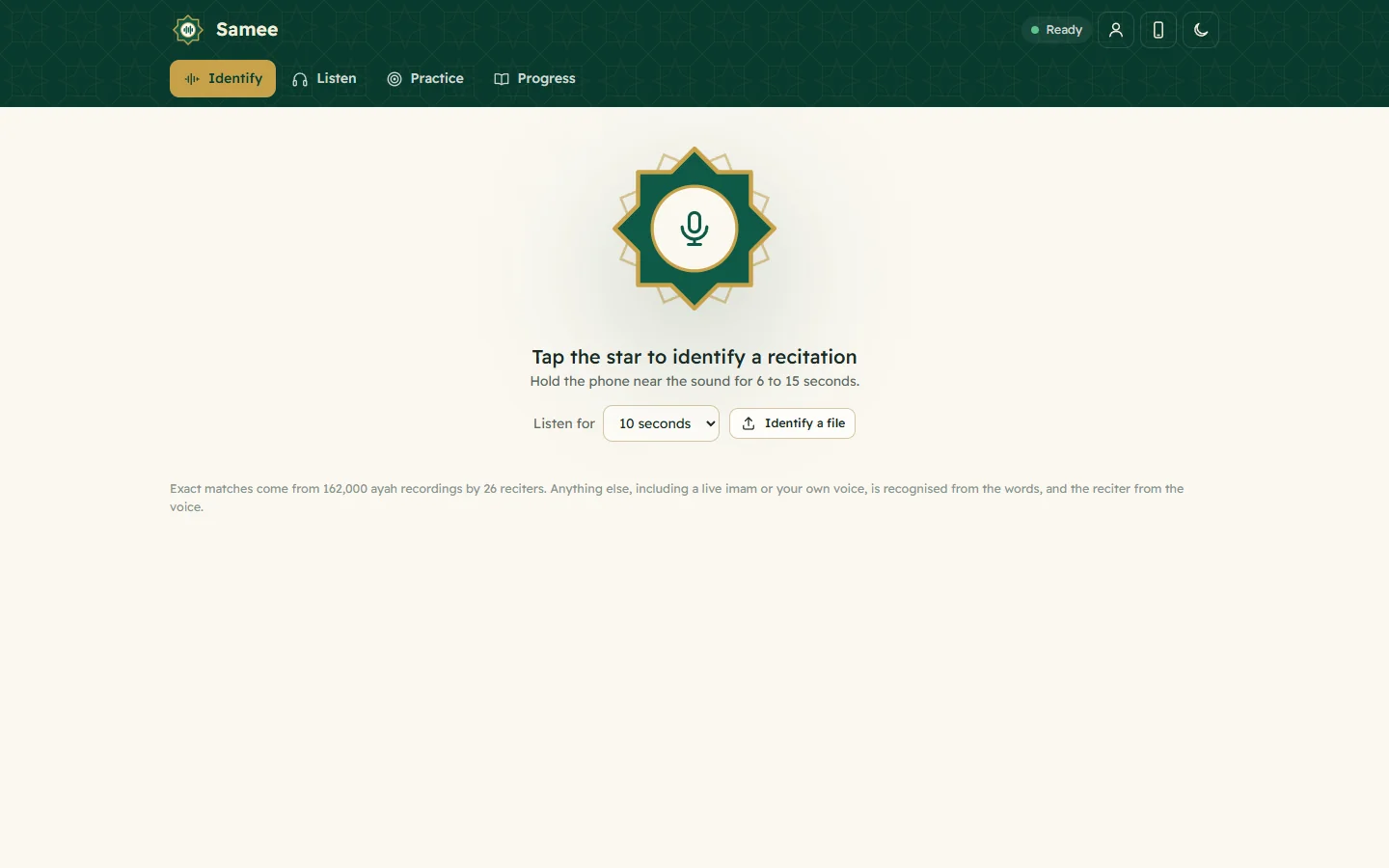
- Status pill. Ready means the recognition server is up. Connecting and Loading models mean wait a moment. Recogniser offline means identifying and listening are unavailable for now, although your history still opens. Offline means your device can't reach Samee.
- Account (the person icon). Create or sign in to an optional account, or add another device. See account, devices and recovery codes.
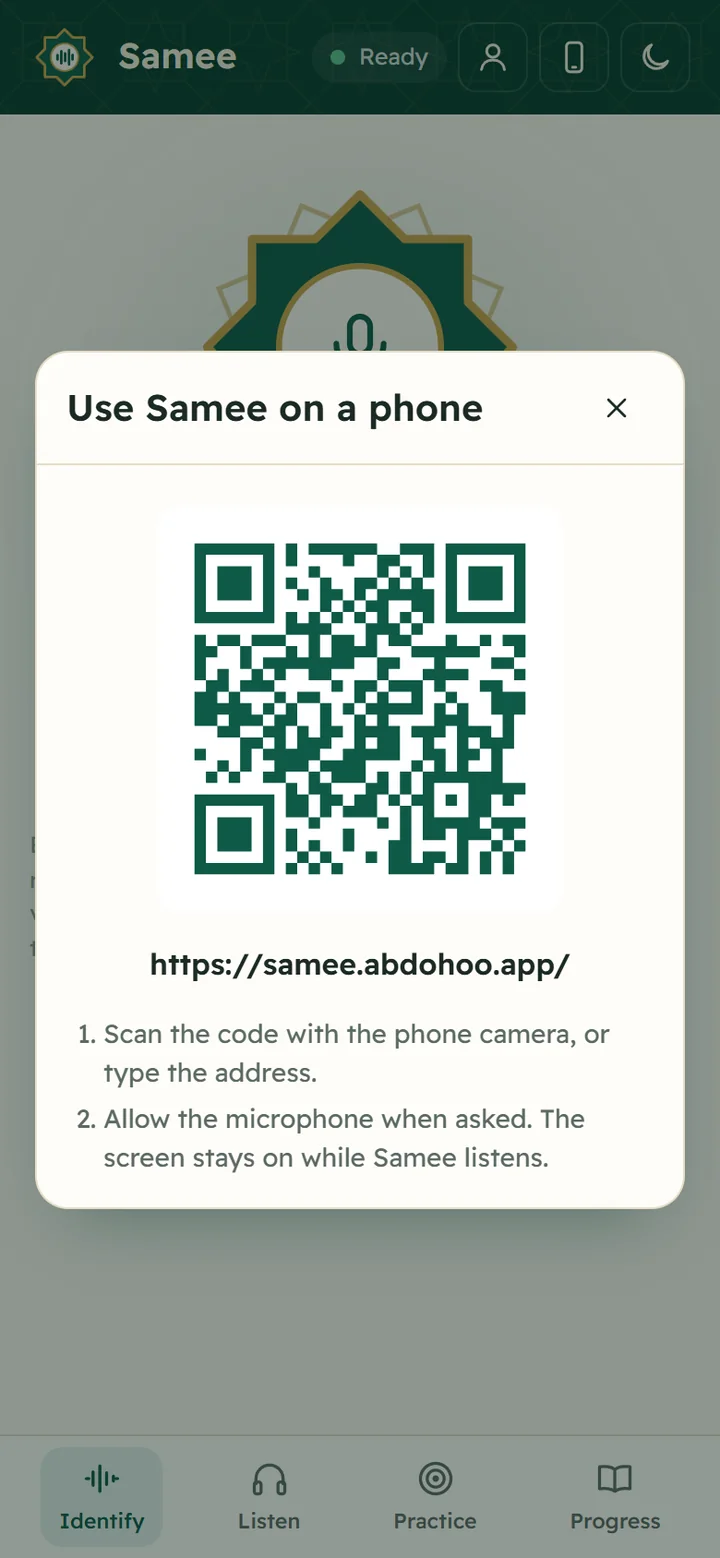
- Use Samee on a phone (the phone icon). Shows a QR code for samee.abdohoo.app, so you can move from a computer to your phone by scanning it.
- Dark mode (the moon, or the sun in dark mode). Switches between the light and the dark theme. Samee follows your device's setting until you choose.
No sign-up: how your data is kept
The first time you open Samee, your browser registers anonymously. Nothing about you is asked. Your sessions, tracks and practice belong to that browser. If you want the same data on several phones and browsers, create an account with a username and password; no email is needed. Either way, a recovery code lets you move your data to a new phone. Samee's privacy page lists exactly what is kept.
What to expect from Samee
Samee is a listener, not a teacher:
- It checks the words of the recitation: missed, wrong, added and repeated words, skipped ayahs, jumps to another place and long hesitations. An experimental check of the vowels (harakat) is also available.
- It doesn't judge the finer points of tajwid such as the length of a madd or the quality of a letter's articulation.
- It can be wrong, especially in a noisy room or with a quiet reciter. Every finding comes with a short audio clip so you can check it by ear, and you can dismiss the ones that are wrong.
- Its text and catalogue recordings follow the riwayah of Hafs from Asim. A recitation in another riwayah, such as Warsh, may show its differences as findings.
Use Samee alongside a qualified teacher, not instead of one.
Where to go next
Frequently asked questions
Do I need an account to use Samee?
No. The first time you open Samee, your browser is registered anonymously and keeps its own sessions. An account (username and password, no email) is optional and only keeps your sessions in step across several phones and browsers.
Is Samee free?
Samee shows no price, no adverts and nothing to buy. You open samee.abdohoo.app in a browser and use it.
Does Samee replace a Quran teacher?
No. Samee is a listener that catches missed, wrong and skipped words and points out hesitations. It doesn't judge the finer rules of tajwid, and some of its findings are wrong. Check them by ear and learn recitation with a qualified teacher.
Which reading of the Quran does Samee follow?
Samee's text and its 26 catalogue reciters follow the riwayah of Hafs from Asim, the reading used in most printed mushafs today.
Is there an Android app?
An Android app is being prepared. Until it is out, Samee works in any modern phone browser and can be installed to your home screen like an app.
Was this article helpful?
Related articles
- Allow the microphone for Samee, and why it needs HTTPSTap the star or Start listening, then choose Allow when the browser asks for the microphone. If you blocked it, re-allow it in the site settings. Browsers only share the microphone over HTTPS.
- Install Samee on your phone or computer like an appOpen samee.abdohoo.app, then use your browser's Install app or Add to Home Screen option. Samee then opens full screen from its own icon, with shortcuts to Listen, Practise and Progress.
- Show a Quran translation under each ayah, in your languageOn Listen, pick a translator from Translation under the ayah, or Arabic only. The choice applies to Identify, Listen and Practice in that browser. Practice can also read a translation aloud.
- Identify a Quran recitation from sound or from a fileOn Identify, tap the star and hold the phone near the recitation for 6 to 15 seconds, or tap Identify a file. Samee names the surah, the ayahs and, where it can, the reciter.
Need a hand?
Email us what you see on screen — a screenshot helps — and we'll walk you through it.