Tracks and the khatm map: see how much has been recited
In short
Give sessions the same track name, such as Taraweeh 1448 or Student Ahmad, and Samee continues each from where the last stopped and draws a khatm map of the mushaf, page by page, with the gaps.
On this page
A track collects the sessions of one khatm or one student. Type the same track name, for example Taraweeh 1448 or Student Ahmad, each time you start listening. Samee then continues each session where the last one stopped, adds up what has been recited, and draws a khatm map of the 604-page mushaf, one square per page, showing what's done, what's partly done and where ayahs were skipped.
Start a track
- Open Listen.
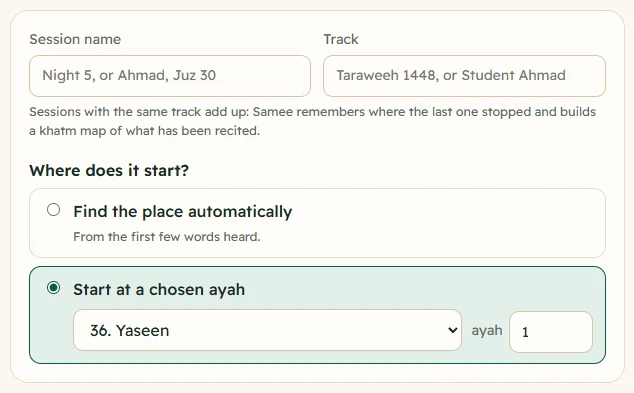
- In Track, type a name. If you have tracks already, Samee suggests them as you type.
- For the first session, choose Find the place automatically or Start at a chosen ayah.
- Tap Start listening, and Stop and save at the end.
From the second session on, typing the same name selects Continue "name" from the place where the last session stopped, with the surah and when that was. You can still choose another start.
See your tracks
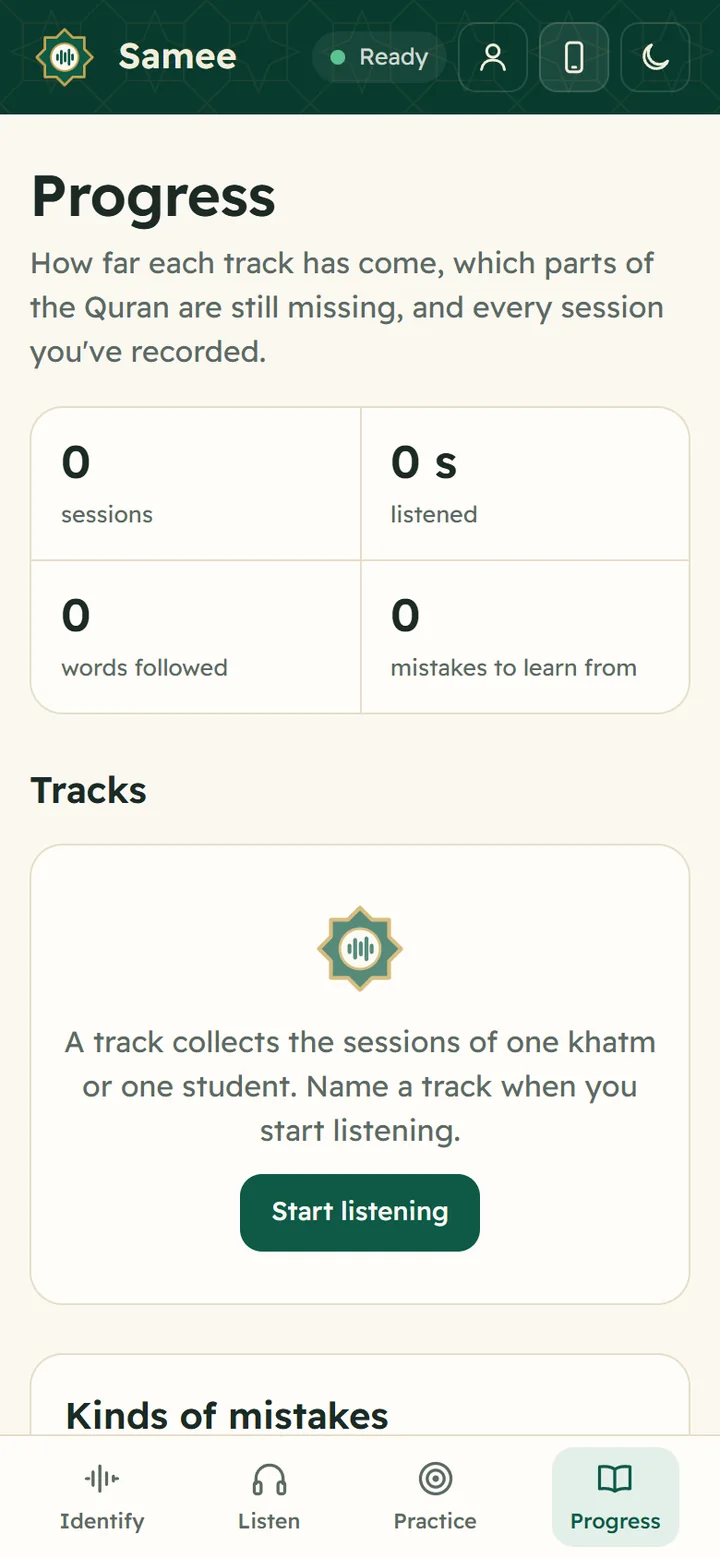
Open Progress. Under Tracks, each track shows:
- how many sessions it has and when the last was;
- continues at and the next ayah;
- how many gaps it has, in red;
- a progress bar and the percentage of the Quran recited;
- Continue, which opens Listen with this track filled in.
Practice attempts are kept apart and don't appear as a track.
The khatm map
Tap a track's name to open its khatm. At the top you see Khatm of and the track name, a ring with the percentage, and a line such as 4,210 of 6,236 ayahs recited with the number of nights, complete juz and gaps. When everything has been recited, it says The whole Quran has been recited. Khatm complete.
Under The mushaf, juz by juz, each row is one juz and each square one page:
| Legend | Square | Meaning |
|---|---|---|
| not yet | plain | Nothing on this page has been recited. |
| partly | light green | Some of the page has been recited (darker as it fills). |
| recited | emerald | The whole page has been recited. |
| an ayah was skipped | red outline | An ayah on this page was left out during a night. |
On a computer, hover over a square to read, for example, Juz 12, page 230: 100% recited. A juz that is complete is marked done.
The button at the top right says Continue from the next ayah, or Start the first night for a new track.
Nights and gaps
Nights lists the sessions of the track in order: Night 1, Night 2 and so on, with the session name, the date, the range recited, how much of the Quran it added (for example +3.4% of the Quran) and its number of mistakes. Tap a night to open its report.
Gaps inside what's been recited lists every stretch between the first and the last ayah of the track that hasn't been heard, with its range, number of ayahs, juz and page. Each gap says either:
- skipped during a night: Samee was listening and the ayahs were left out. Check the report: was it a real skip, or did the phone miss part of the night?
- not reached: no session covered it, for example a night you didn't record.
Tap Recite next to a gap to open Listen at that place in the same track. Reciting it fills the gap.
Move the bookmark
If the next session should start somewhere else, for example because a night wasn't recorded:
- Open the track's khatm on Progress.
- Under the gaps, tap Move the bookmark.
- Choose the surah and type the ayah.
- Tap Save. The track now continues from there.
Ideas for using tracks
- Ramadan: one track for your mosque's Taraweeh. By the last nights, the map shows whether the khatm is complete and where the gaps are. The blog has a Ramadan khatm plan.
- Teachers: one track per student, so each student's sessions, mistakes and progress stay together. See tracking a student's hifz.
- Your own khatm: recite to Samee each day under one track and let it keep your place.
To look back at a single night in detail, open its session report. To work on the ayahs with the most mistakes, go to practise your weak ayahs.
Frequently asked questions
What is a track in Samee?
A name you give to sessions that belong together: one khatm, such as a mosque's Taraweeh in Ramadan, or one student. Sessions with the same track add up into one khatm map and one bookmark.
How does Samee know where to continue the next night?
When a session in a track is saved, Samee bookmarks the word after the last one recited. Next time you type the same track name on Listen, Continue from that place is selected for you.
What is a gap on the khatm map?
A stretch of ayahs between the first and the last ayah recited in the track that hasn't been heard yet. A gap marked skipped during a night was left out while Samee was listening; one marked not reached was simply never recited in a session.
Can I track more than one khatm or student at once?
Yes. Make as many tracks as you need, each with its own name, map and bookmark.
Was this article helpful?
Related articles
- Review a session: the report, its clips and the full recordingEvery Listen session is saved with a report: the range recited, findings grouped by ayah with a clip each, and tools to confirm or dismiss, add notes, print, export a spreadsheet or delete.
- Follow a Taraweeh imam or a student live, word by wordOn Listen, name the session and its track, choose where it starts and tap Start listening. Samee finds the place, follows each word and lists missed, wrong and skipped words as they happen.
- Identify a Quran recitation from sound or from a fileOn Identify, tap the star and hold the phone near the recitation for 6 to 15 seconds, or tap Identify a file. Samee names the surah, the ayahs and, where it can, the reciter.
- What Samee is and how to start using it in your browserSamee listens to Quran recitation. It names the surah, ayah and reciter, follows a reciter word by word to mark mistakes, and helps you practise. Open samee.abdohoo.app; no sign-up needed.
Need a hand?
Email us what you see on screen — a screenshot helps — and we'll walk you through it.