Salah Locator 1.2: add your mosque and see where times come from
Salah Locator 1.2 lets anyone add the mosque they attend, lets worshippers report a wrong prayer time for the mosque to confirm, and labels every timetable with where its times came from.

On this page
Salah Locator 1.2 is about trust. Anyone can now add the mosque they attend, without a special account. Anyone who prays at a mosque can report a wrong prayer time, which the mosque then confirms. And every timetable now says where its times came from: the mosque itself, a correction from its congregation, public information not yet confirmed, or a calculation. The current version on Google Play is 1.2.1.
Anyone can add the mosque they attend
Until now, putting a mosque on Salah Locator meant signing up as an imam. That's gone. Any ordinary account can register a mosque, and whoever registers it looks after it.
In the app, Profile → Register a mosque opens a step-by-step form:
- Where is it? Search for the mosque or its address, or drop a pin on the map. If you're standing in the mosque, your phone fills the position in for you.
- Name and address, with the address suggested from the pin.
- Contact and facilities, all optional.
- Prayer times, or skip them and add them later.
- Check and submit.
New listings are reviewed before they appear publicly, and you can keep filling them in while you wait. The same is possible on the website from your dashboard. The guide is Add your mosque or claim an existing listing.
No more duplicate listings
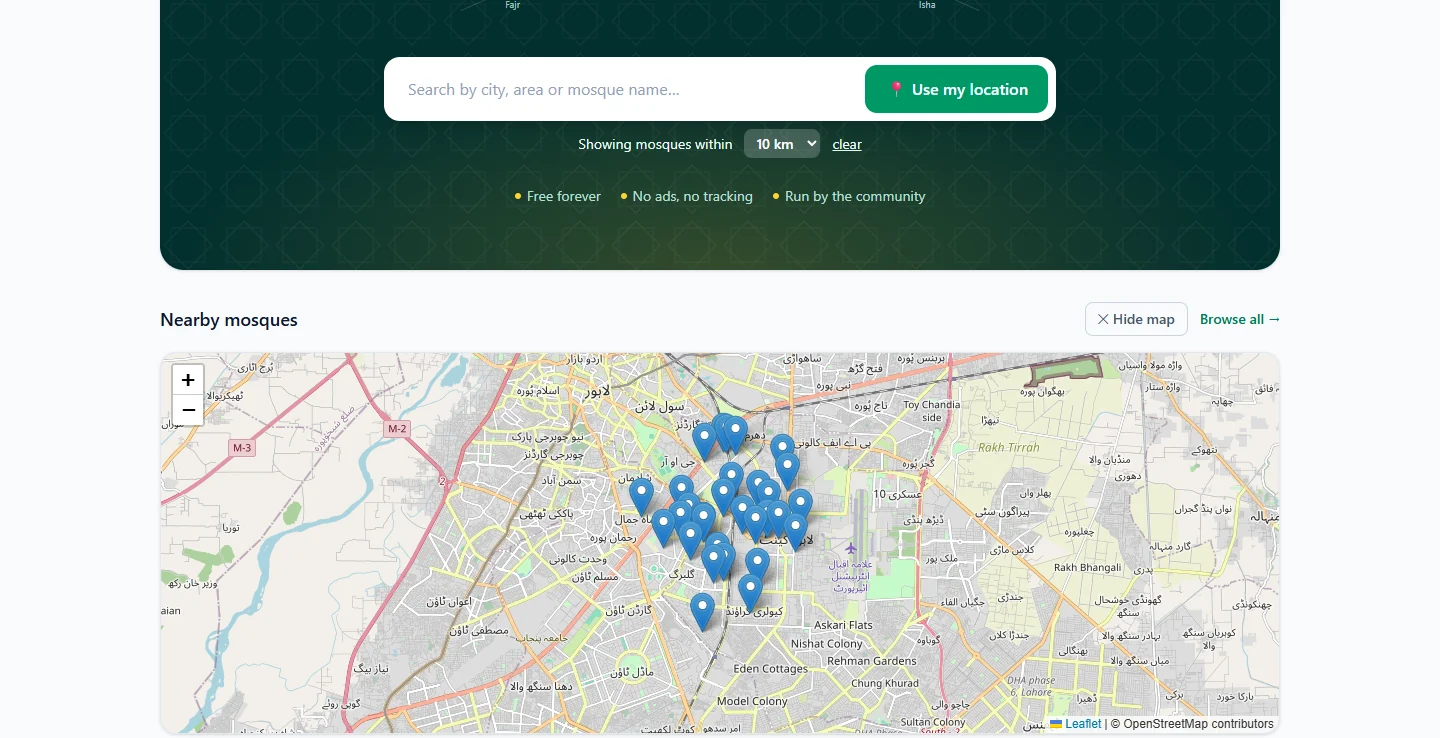
Before you type anything, the app checks whether the mosque is already listed nearby. If it finds a match, it shows you the listings within a short distance and asks: is it one of these?
- If a listing has no administrator, That is mine — claim it sends a claim for review instead of creating a second copy.
- If it already has one, the app says so.
- If none match, None of these — continue.
Many listings in the directory come from OpenStreetMap, credited on the page, and have nobody looking after them yet. Any of those can now be claimed from its page with Claim this mosque.
A wrong time? Report it, and the mosque confirms
People who pray at a mosque notice a changed time long before anyone updates a website. Now they can say so. In the app, open the mosque, tap the menu and choose Report a wrong prayer time: pick the prayer, whether it's the Adhan or the Iqaamah, and the correct time.
Nothing changes on the listing until the mosque agrees. Its administrators see the report under Reported corrections, with the current time, the suggested one and any note, and can Accept or Dismiss it. Accepting updates the timetable straight away.
Every timetable says where it came from
A time an imam entered this morning, a plausible time added from public information that nobody at the mosque has confirmed, and a calculated estimate are very different claims. Until now they looked identical. From 1.2, every timetable carries a label:
| Label | Meaning |
|---|---|
| From the mosque | Entered by whoever runs the listing |
| Congregation | Includes a correction from someone who prays there, accepted by the mosque |
| Unconfirmed | Added from public information, not yet confirmed by the mosque |
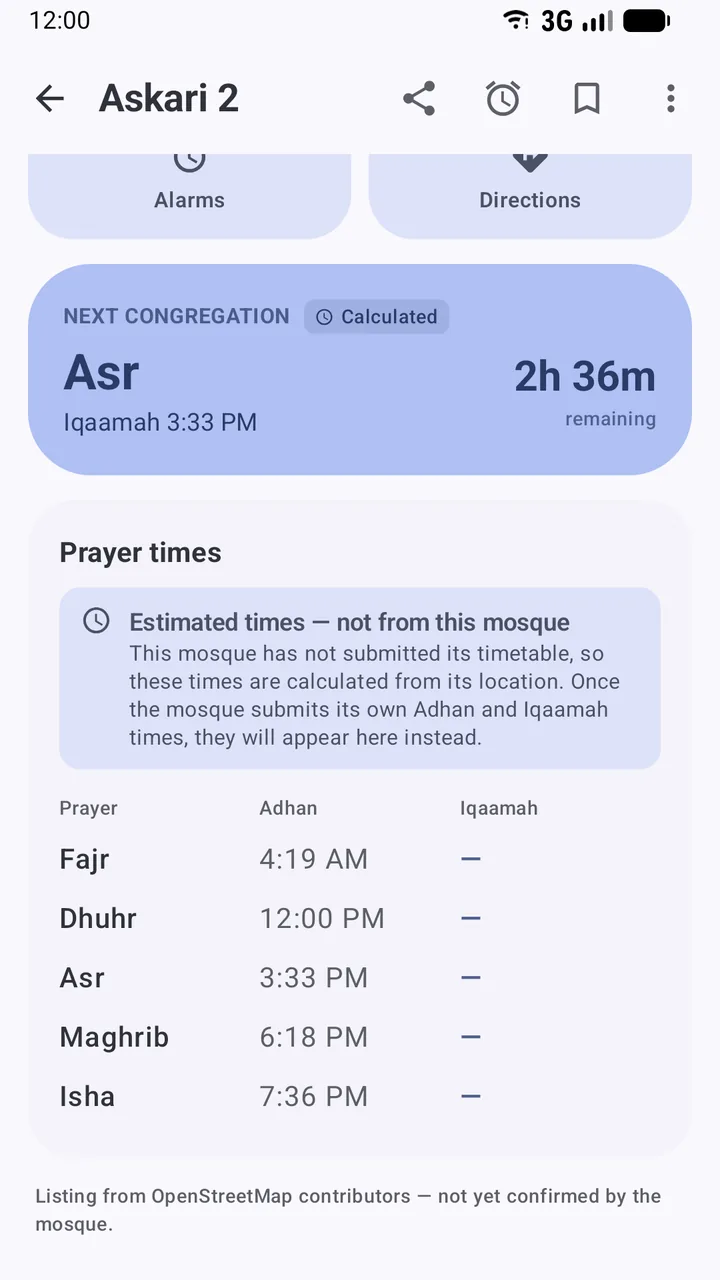
| Calculated | Estimated from the mosque's location, because it hasn't published a timetable |
Pray Now shows the same marks beside each time, because it's the screen people use in a hurry. Timetables also show when they were last confirmed, and warn when that was more than about six months ago.
Estimates, clearly marked (1.2.1)
Where a mosque hasn't submitted its timetable, the app calculates the Adhan times from its location. In 1.2.1 those estimates sit behind a clear notice, Estimated times — not from this mosque, which explains that the mosque's own Adhan and Iqaamah times will replace them once it submits them. The next-prayer countdown carries a Calculated mark too, so the biggest number on the screen is never mistaken for the mosque's own time.
For imams: the seasons, in the app
Mosque administrators can now manage, from the app as well as the website:
- Ramadan and seasonal times: a different timetable for a date range, which the public page, reminders and the widget follow while it's in force
- Eid prayers: the date, every jamaat time and where they're held
- Tarawih: the start time, rakʼahs and a night-by-night khatm plan
These sit alongside the prayer timings, announcements, events, photos, committee and live streams that were already there. See Update your mosque's prayer timings.
A new icon
The app's icon is now the word الصلاة, aṣ-ṣalāh, in white on emerald green.
Smaller changes
- Rate on Google Play in About now works on phones without the Play Store app.
- The time zone, facilities, map pin and other profile details can be edited from the app's Mosque profile screen.
What hasn't changed
Salah Locator is still free, with no ads, no advertising ID and nothing to buy. Browsing mosques, reading timetables, Pray Now, the Qibla finder and prayer reminders still need no account. Your location is still used only while you're using the app, to find mosques near you.
Get the update
Update from Google Play, or install it for the first time; it runs on Android 8.0 and later. If you run a mosque, now is a good moment to check your listing, confirm your times, and plan your winter and Ramadan timetables. If you pray at one that isn't listed yet, you can now add it yourself. Putting your mosque's prayer times online has a checklist.
Jazākum Allāhu khayran to everyone who reported problems and suggested improvements.
Frequently asked questions
How do I get Salah Locator 1.2?
Install or update Salah Locator from Google Play. The current version at the time of writing is 1.2.1, and it runs on Android 8.0 and later.
Is Salah Locator still free?
Yes. There are no ads, no subscriptions and nothing to buy.
I run a mosque. What changed for me?
You no longer need a special account: any account can register a mosque. You can claim an existing listing that nobody manages, review corrections your congregation sends, and manage Ramadan and seasonal timetables, Eid prayers and Tarawih from the app.
What does Unconfirmed or Provisional mean on a timetable?
The times were added from public information and haven't been confirmed by the mosque. Allow a margin, and if you pray there, tell the mosque or report the correct time.
Was this post helpful?