Shadecard 0.9: a redesigned app and a library of 13,297 shades
Shadecard for Android 0.9 brings a redesigned home screen, plain white paper as the everyday reference, and a shade library that grew from 466 to 13,297 shades.
On this page
Shadecard for Android 0.9 brings three headline changes: a redesigned home screen built around one button, plain white paper as the everyday reference instead of a grey card, and a shade library that grew from 466 to 13,297 shades – about 28 times the size – so almost any cloth lands close to a named shade and its recipe.
One button to start
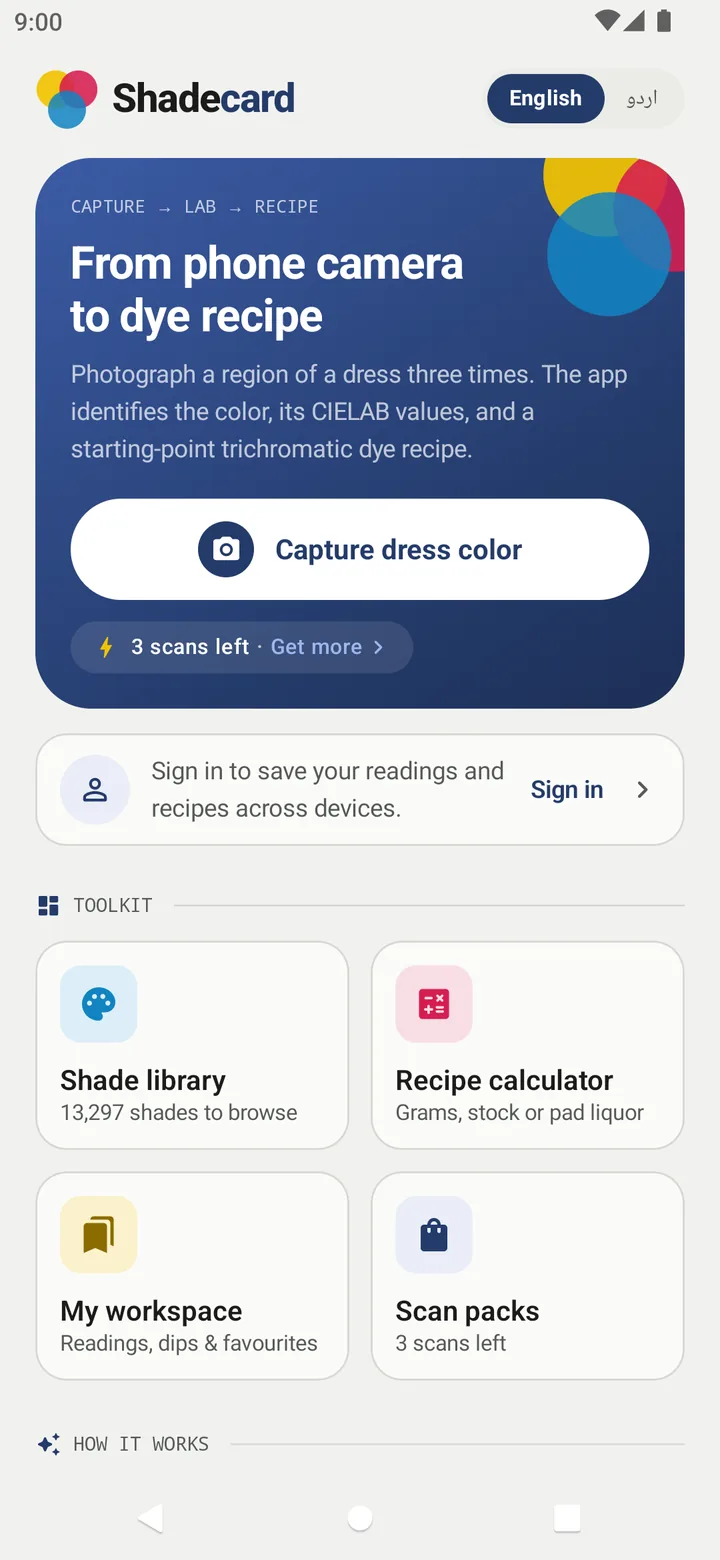
The new home screen puts Capture dress color front and centre, with your remaining scans underneath (3 scans left · Get more on a fresh install). Below it, a Toolkit of four tiles:
- Shade library – 13,297 shades to browse
- Recipe calculator – grams, stock or pad liquor
- My workspace – readings, dips and favourites
- Scan packs – your scan balance
Further down, How it works explains the three steps – Photograph, Measure, Recipe – and Good to know repeats the rule the app is built on: a phone is not a lab instrument, and every recipe ends with a small test batch.
No grey card? Use paper
A reference of known colour in the frame is what turns a phone photo into a measurement. Plain white printer paper is now the default reference: lay it in the small box beside the fabric, and it corrects the light's tint and anchors how dark the fabric really is – enough to unlock the full result, shade plus recipe. The 18% grey card and the 24-patch colour chart are still there for tighter, more repeatable readings.
13,297 shades, and why the number stops there
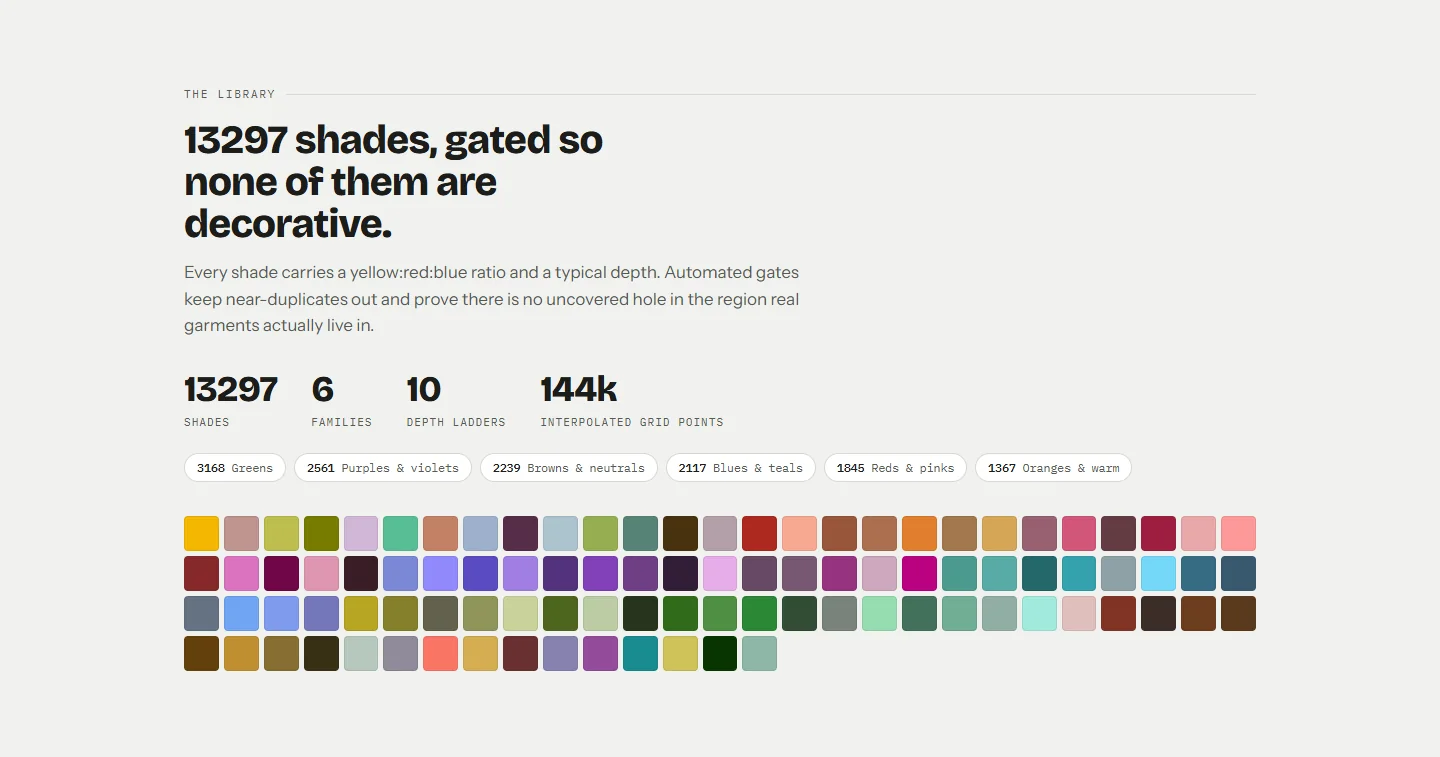
The library now holds 13,297 shades across six families:
| Family | Shades |
|---|---|
| Greens | 3,168 |
| Purples & violets | 2,561 |
| Browns & neutrals | 2,239 |
| Blues & teals | 2,117 |
| Reds & pinks | 1,845 |
| Oranges & warm tones | 1,367 |
Each shade has a yellow:red:blue ratio and a typical depth. The library was grown in stages, each one checked by automated gates:
- No near-duplicates: every pair of shades is at least 1.3 ΔE00 apart.
- No holes: nowhere in the core region where real garment colours live is more than 3 ΔE00 from a library shade.
- Every shade findable: each shade must come back as its own best match.
13,297 is where those gates meet: in the final pass, no remaining position in the gated gamut passed both the spacing check and the self-match check, so any further shade would in effect duplicate one already there.
To be clear about what the shades are: 101 are hand-curated, and the rest are coverage-fill shades placed to close the gaps, with ratios interpolated from the curated shades around them. All library colours are illustrative values, not dyed swatches read on a spectrophotometer. Every recipe remains a starting point for a lab dip.
Also in the library:
- Hex search – type a code like A1B2C3 to see the nearest of 144,380 fine-grid reference points with derived recipes.
- ISCC-NBS names – each shade page shows its nearest standard colour name, such as Moderate Olive.
- Printable PDF shade cards – one tap per family, 72 swatches per A4 page.
- Urdu names for the curated shades, searchable in Urdu.
Browse and search the shade library.
From ratio to grams
The Recipe calculator expresses the same recipe three ways: Weigh (g) for batches, Stock (mL) for pipetting lab dips from stock solutions, and Pad (g/L) for continuous dyeing – with the bath volume, salt and soda ash worked out for reactive dyeing on cotton. Open it from any result with Work out the amounts. Use the recipe calculator.
All of it in Urdu
One tap on اردو switches the whole app, right to left – not just the buttons, but the capture coaching, the refusal messages, the recipe hints and the dyeing terms. Switch Shadecard to Urdu.
Also in this version
- Match closeness meter on every matched result, with the ΔE00 and zones for close, rough and far.
- Share recipe card – a picture with swatch, Lab, ratio, depth and the lab-dip reminder, ready for WhatsApp.
- Light check – re-read the same cloth with the torch to see whether the reading is light-sensitive.
- Dip log and Right first time – record lab-dip outcomes and corrections in My workspace; after three dips in a dye class and family, the app adjusts its suggestions to your process.
- Custom shades – promote an approved recipe; it joins matching, badged user shade.
- Cloud backup – sign in and your measurements, dips and shades back up automatically.
Scans
A new install includes 3 free scans. A scan is counted only when a fresh capture produces a result – rejected captures and light checks are free. After that, scan packs are bought through Google Play; paid scans include an optional AI second opinion. The library, calculator and workspace never use scans. Android app, website and scan packs.
A good first session with 0.9
If you are trying the new version for the first time:
- Switch the language to the one your team works in, using the English | اردو switch on the home screen.
- Take one reading of a plain, known fabric with White paper in the small box, and look at the spread and the match closeness.
- Open the matched shade in the Shade library, look at its Visually similar neighbours and compare one of them.
- Tap Work out the amounts, switch the calculator to Stock (mL), and set it to your usual lab swatch weight.
- Save the measurement, run the lab dip, and log the result in My workspace.
That covers every part of the app in one loop – and ends where every recipe should end.
Still honest about its limits
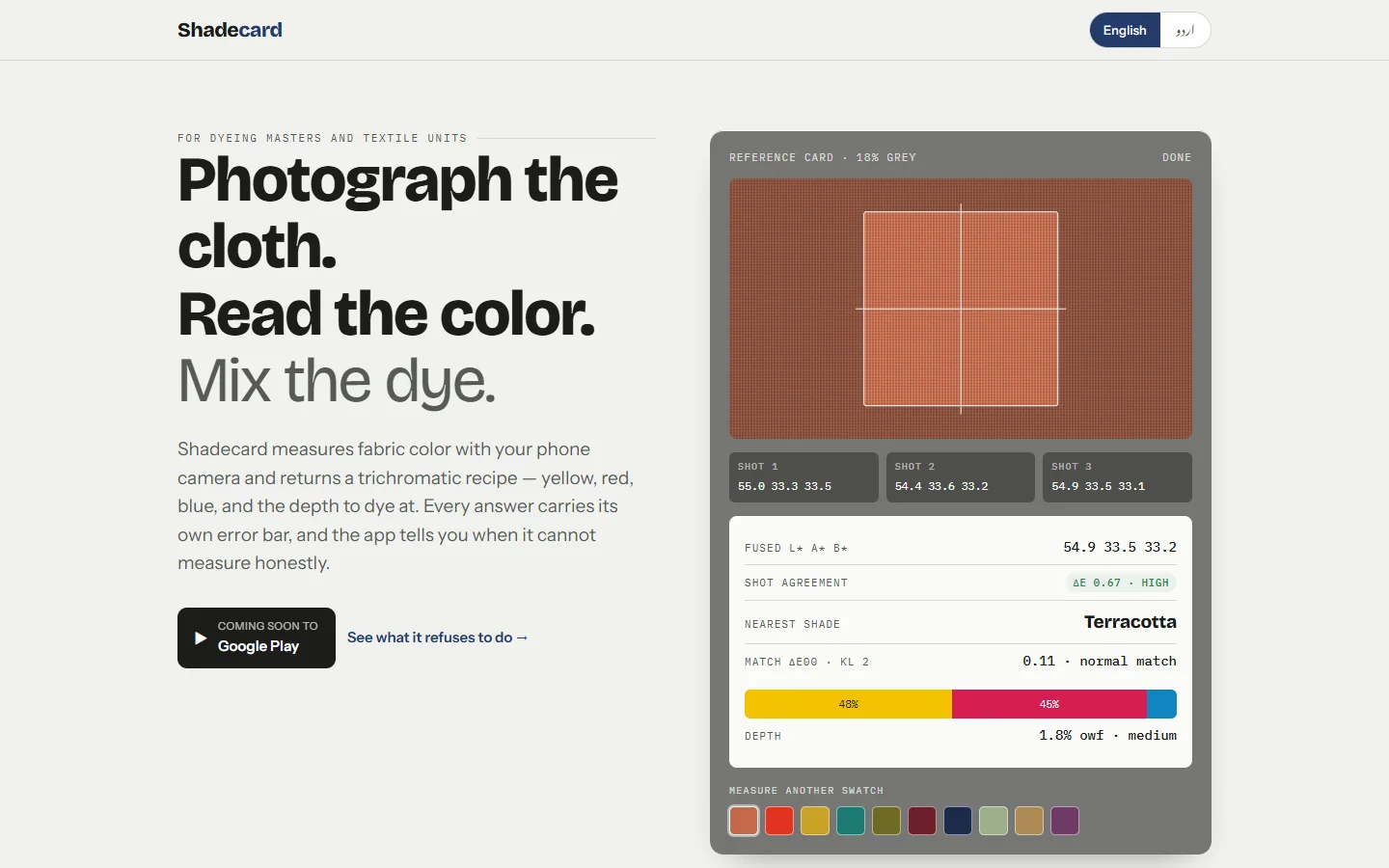
Nothing here turns a phone into a spectrophotometer. Shadecard still refuses a recipe without a reference card, rejects captures whose three photos disagree by more than ΔE 3, names no shade when the nearest is more than ΔE 9 away, and ends every recipe with confirm with a lab dip. See the product site, sc.abdohoo.app, for a demo of the measurement.
Frequently asked questions
How many shades does Shadecard have now?
13,297 shades in six families: Greens 3,168, Purples & violets 2,561, Browns & neutrals 2,239, Blues & teals 2,117, Reds & pinks 1,845 and Oranges & warm tones 1,367.
Do I still need a grey card?
No. Plain white printer paper is the default reference and unlocks the full result. The 18% grey card and the 24-patch colour chart remain available for more consistent readings.
Where can I get Shadecard?
Shadecard is an Android app for Android 8.0 and newer. At the time of writing, sc.abdohoo.app lists it as coming soon to Google Play.
Are the new shades dyed samples?
No. 101 shades are hand-curated; the rest are coverage-fill shades placed to close gaps, with ratios interpolated from nearby curated shades. All library colours are illustrative, and every recipe ends at a lab dip.
Was this post helpful?