Shadecard explained: what it does and who it is for
In short
Shadecard measures a fabric's colour with a phone camera, matches it to a library of 13,297 shades and gives a yellow:red:blue starting recipe to confirm with a lab dip.
On this page
Shadecard turns a phone photo of fabric into a dye recipe you can test. You lay the cloth flat with a sheet of plain white paper (or a grey card) beside it, tap once, and the app takes three photos, fuses them into one CIELAB reading, finds the nearest of 13,297 named shades and hands back a yellow:red:blue ratio with a suggested depth. Every recipe is a starting point that ends at a lab dip.
Who Shadecard is built for
Shadecard is made for dyeing masters, lab technicians and small textile units: people who are handed a piece of cloth and asked to "make this colour". Instead of guessing the first recipe by eye, you get a measured colour, a named shade to talk about, and grams of dye for your batch.
It is equally useful for:
- Dye-house labs that want a faster first lab dip.
- Small dyers and tailoring units that match customer samples without an instrument.
- Students and trainees learning how ratio, depth and dye class fit together.
The whole app, including warnings and dyeing terms, can be switched to Urdu with one tap. See Switch Shadecard to Urdu.
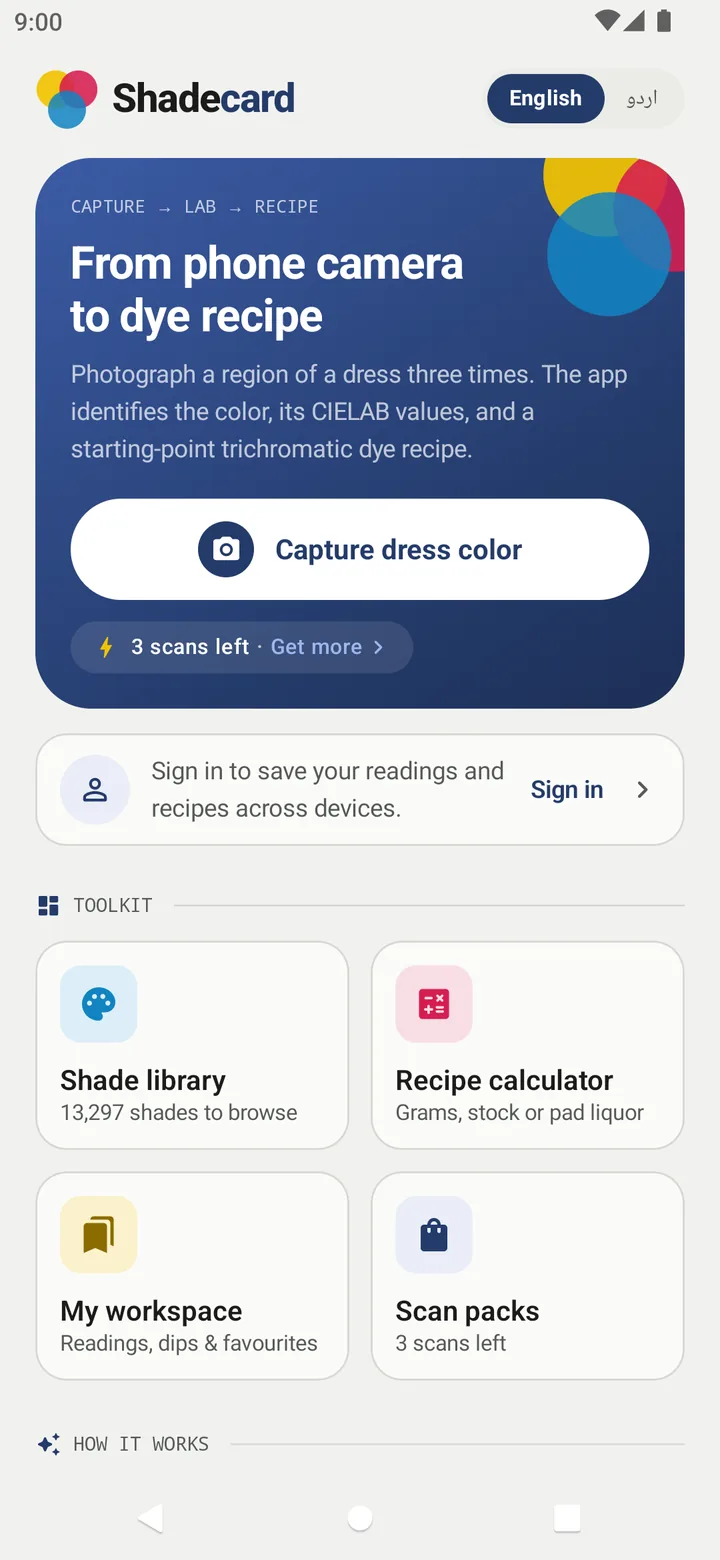
What you can do with it
| Tool | What it does |
|---|---|
| Capture dress color | Three locked-exposure photos → one CIELAB reading → nearest shades → starting recipe |
| Shade library | Browse or search 13,297 shades in six colour families, each with a Y:R:B ratio and depth |
| Recipe calculator | Turns a ratio and % owf into grams to weigh, mL of stock solution or g/L of pad liquor, plus salt and soda ash for the bath |
| My workspace | Saved measurements, favourite shades, your own custom shades and a lab-dip log |
How a reading works, in three steps
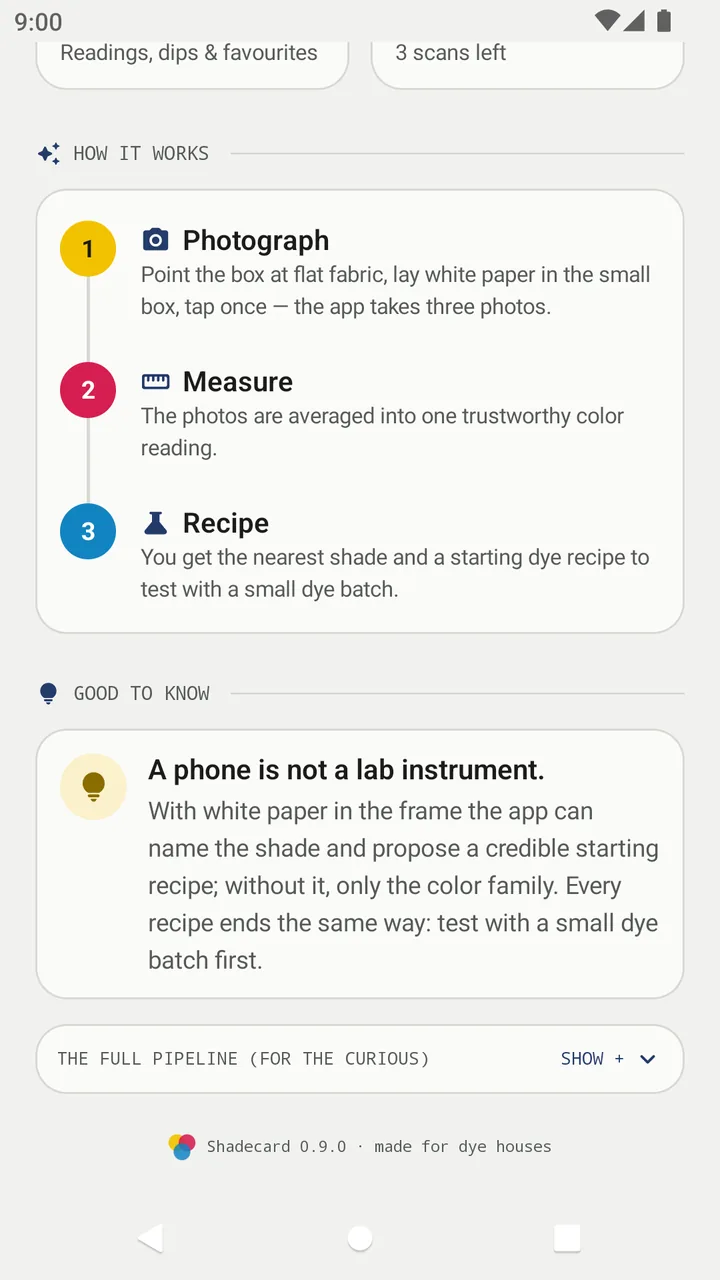
The home screen sums it up as Photograph, Measure, Recipe:
- Photograph. Point the big box at flat fabric, lay white paper in the small box and tap once. The app meters, locks exposure and white balance, and takes three photos by itself.
- Measure. The paper tells the app what "white" looks like in your light, so it can correct the camera's colour guess. The three photos are averaged into one reading, and their disagreement (the "spread") becomes the error bar.
- Recipe. The reading is matched against the library using ΔE2000 and you get the nearest shade, two runners-up, a Y:R:B ratio and a depth in % owf (grams of dye per 100 g of fabric).
For a walk-through with pictures, see Take your first fabric reading.
What Shadecard will not do
Shadecard is deliberately honest about what a phone camera can and cannot do. It declines rather than guesses in these cases:
- No reference in the frame – you get the colour family only, never a recipe.
- The three photos disagree by more than ΔE 3 – the capture is rejected and the app names the guard that failed.
- The nearest shade is more than ΔE 9 away – no shade is named; you get family hints and, where possible, an interpolated recipe clearly badged as such.
- White or optically brightened fabric – not measurable with a phone; no recipe is offered.
These rules are explained in Why Shadecard shows no recipe.
Where to go next
Frequently asked questions
Is Shadecard a replacement for a spectrophotometer?
No. The app says so on its home screen: a phone is not a lab instrument. It gives a measured starting point and a recipe to test, and the lab dip decides.
Which fibres does Shadecard work with?
The colour reading works on any plain, flat fabric. On the result you choose the fibre (cotton/viscose/linen, wool/silk, nylon, polyester, acrylic or blend) and the app shows the matching dye class.
Does Shadecard need the internet?
No. Measuring, matching, the shade library and the calculator work offline on the bundled library. The internet is used for library updates, sign-in, cloud backup and the optional AI analysis.
Can it measure white or neon fabric?
No. Whites usually carry optical brighteners and neon dyes emit light, so the app routes them to a 'not supported' message or a warning instead of a recipe.
Was this article helpful?
Related articles
- Take your first fabric colour reading, step by stepTap Capture dress color, keep White paper selected, lay the paper in the small dashed box and fill the big box with flat fabric, then tap the shutter once and hold still.
- Android app, website and scan packs: what runs whereMeasuring happens in the Shadecard Android app. sc.abdohoo.app is the product website with a live demo. A new install has 3 free scans; scan packs come through Google Play.
- Find and compare the nearest shades to your fabricEvery result lists the top match and two runners-up; tap one to swap. On any shade, the Visually similar list and Compare show the ΔE00 and ΔL*, Δa*, Δb*, ΔC* side by side.
- Read your result: L*a*b*, shot spread, ΔE00 match and depthThe result shows your fabric's L*a*b*, how well the three photos agreed (spread), how close the nearest shade is (ΔE00), a Y:R:B starting recipe and a depth in % owf.
Need a hand?
Email us what you see on screen — a screenshot helps — and we'll walk you through it.