Why two phones read the same fabric differently
In short
Each phone's sensor and image processing see colour differently. Shadecard corrects with a reference card and locked exposure, but small differences remain: measure a job on one phone.
On this page
Two phones can give different readings for the same cloth because each camera has its own sensor and its own image processing, and neither sees colour exactly as the eye does. Shadecard removes most of that difference by correcting every capture against white paper, a grey card or a colour chart, but some always remains. For repeatable work, measure the target and its lab dips on one phone, with the same reference, in the same place.
Where the differences come from
A phone photo is not a measurement: it is the camera's interpretation of the scene.
- Automatic processing. Before you see a pixel, the phone applies auto white balance, auto exposure, tone curves, sharpening and noise reduction. Two phones make different decisions for the same scene.
- Different sensors. Camera sensors do not respond to light the way the human eye does, and every model differs. Two fabrics can look the same to one camera and different to another – a form of metamerism that no software can fully remove.
- The light itself. A card corrects the light's overall tint, but not every difference in its spectrum. Moving from window light to a tube light changes what any camera records.
- Angle and sheen. Tilt, pile direction and lustre change how much light the cloth reflects back into the lens.
- 8-bit JPEG. Deep shades such as navy and black have little signal, so small differences in processing show up as larger differences in the reading.
What Shadecard does about it
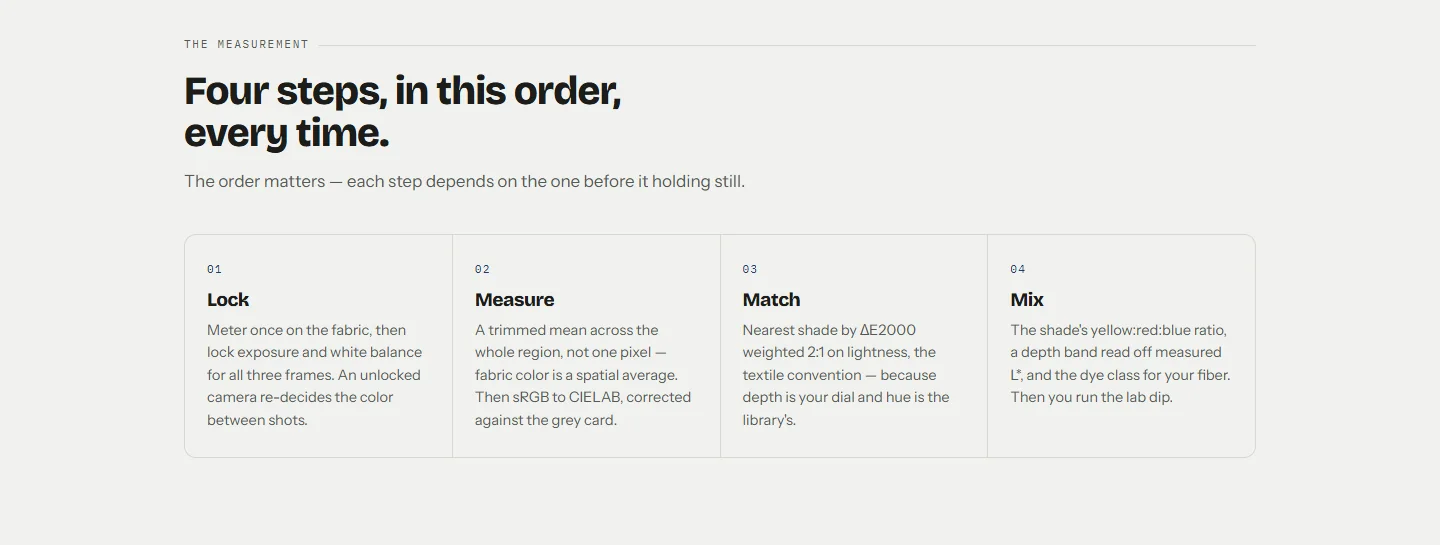
- Lock. The app meters once on the fabric, then locks exposure and white balance so all three photos share one camera setting. It also sets anti-banding against mains flicker.
- Measure in linear light. It undoes the image's gamma encoding before any maths, and averages the whole box instead of reading one pixel.
- Correct against a known reference. White paper or a grey card sets the white balance and the lightness scale for that exact capture. The colour chart fits a full colour-correction matrix.
- Report the error bar. The spread between the three photos is shown, and confidence is only high when the spread is under 1, a reference was used, and the lock held.
If a phone cannot hold the exposure lock, the result says This camera couldn't hold its exposure lock (AE/AWB lock)… and the confidence stays at medium. If still capture stalls, the reading comes from the lower-resolution preview stream and the result says so.
Getting consistent readings across a team
- One job, one phone. Measure the customer's target and every lab dip for it on the same phone. Differences between those readings then mean something.
- Same reference, same kind. Agree on one reference – ideally an 18% grey card – and use the same card each time. If you use paper, use the same brand.
- Same measuring spot. Pick one window or light-box position and always measure there, away from coloured walls.
- Check the spread. Compare readings only when both have a low spread and no serious HEADS-UP warnings.
- Use the colour chart for disputes. When two phones must agree as closely as possible, the 24-patch chart gives the fullest correction the app offers.
When a reading jumps on the same phone
If the same cloth gives two different readings a minute apart on one phone, the conditions changed. Look at both results' Engineering details (spread, reference, each shot) and HEADS-UP notes. The usual causes are a cloud passing the window, the phone's own shadow, a different tilt, or the paper moving out of the cloth's light.
Related
Frequently asked questions
Which phone is right?
Neither exactly. Both are estimates corrected by the reference card. Keep to one phone, one reference and one place for a job, and let the lab dip judge the colour.
Will a grey card make two phones agree?
It helps, because both phones then correct against the same known neutral. A 24-patch colour chart corrects more fully. Some difference between camera sensors always remains.
Can I compare Shadecard's L*a*b* with my spectrophotometer?
Only roughly. Shadecard computes CIELAB under D65 from a corrected camera image; dye-house instruments read reflectance, usually reported for D65 with the 10° observer. Treat them as different instruments.
Why do I get a different reading on the same phone a minute later?
Usually the light changed, the phone angle changed, or the cloth moved. Check the spread and the HEADS-UP notes on both results.
Was this article helpful?
Related articles
- Couldn't get a clean reading: fix a rejected captureA rejection names the guard that failed: photos that disagree, persistent glare, an overexposed card or an unreadable chart. Fix that one thing and tap Retake; no scan is used.
- Why Shadecard shows no recipe (family only, no close match, whites)No recipe appears when there was no reference card (family only), when no library shade is within ΔE 9, or when the fabric is white or optically brightened. Each has a fix.
- Take your first fabric colour reading, step by stepTap Capture dress color, keep White paper selected, lay the paper in the small dashed box and fill the big box with flat fabric, then tap the shutter once and hold still.
- Use the recipe calculator: grams, stock solution or pad liquorEnter fabric weight, depth (% owf), water ratio and the Y:R:B ratio. Pick Weigh (g), Stock (mL) or Pad (g/L); the calculator gives each dye plus bath volume, salt and soda.
Need a hand?
Email us what you see on screen — a screenshot helps — and we'll walk you through it.