Switch Shadecard to Urdu (اردو) and back to English
In short
Tap اردو in the English | اردو switch at the top of the home screen. The whole app turns to Urdu, right to left, including warnings and dyeing terms. Tap English to switch back.
On this page
To use Shadecard in Urdu, tap اردو in the English | اردو switch at the top of the home screen. The whole app changes at once and lays out right to left: buttons, the capture coaching, the refusal messages, the recipe and calculator labels, and the dyeing terms. Tap English in the same switch to go back. The app remembers your choice.
Switch the language
- Open Shadecard on the home screen.
- At the top right (next to the Shadecard logo) you see a two-part switch: English and اردو. The highlighted side is the active language.
- Tap اردو. The screen redraws in Urdu, right to left, and the switch moves to the left side of the header.
- To return, tap English in the switch.
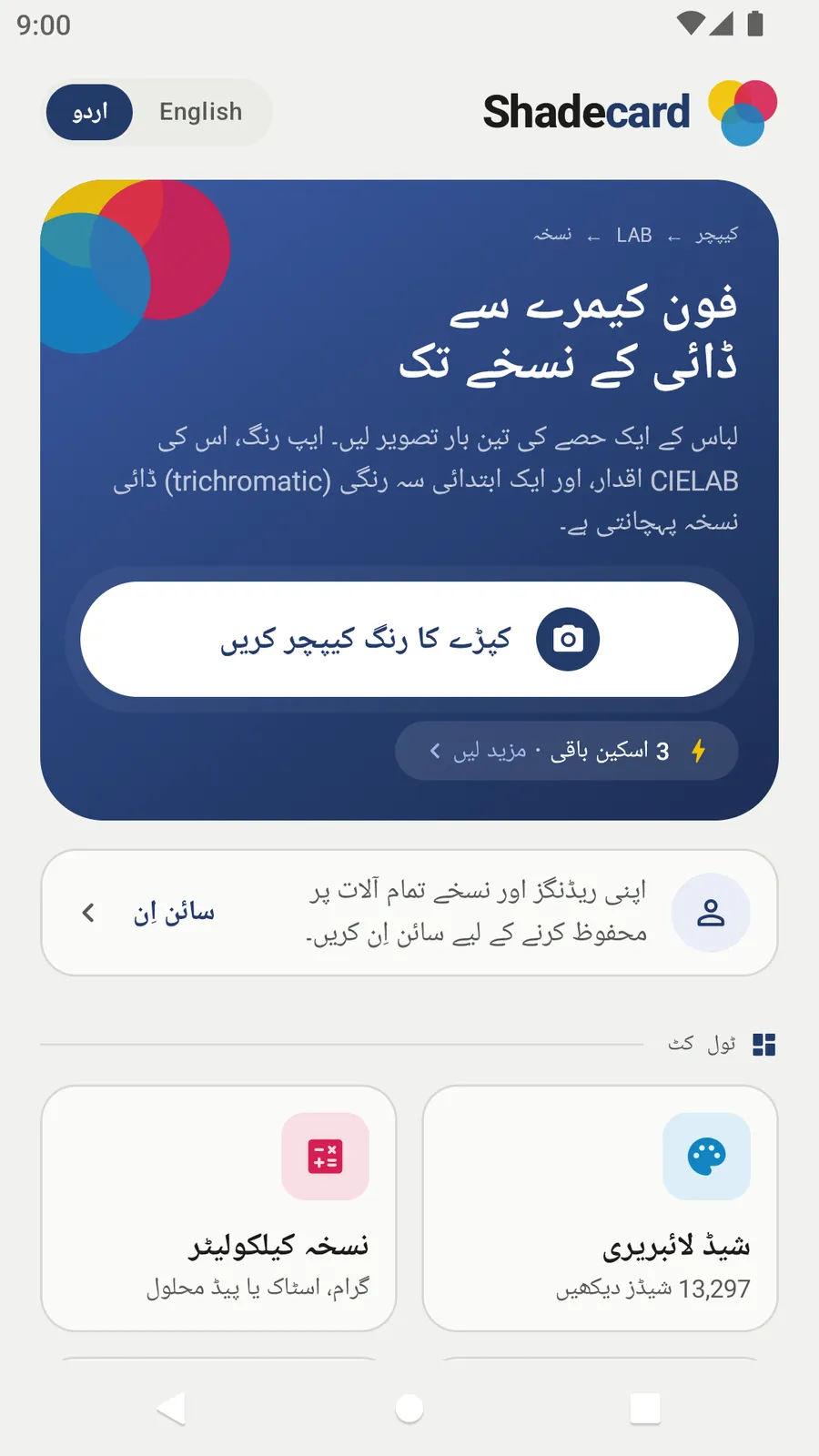
The choice is saved on the phone and restored the next time you open the app. It does not depend on your phone's language setting.
What changes
Everything the app writes is in both languages – not only the buttons. That includes:
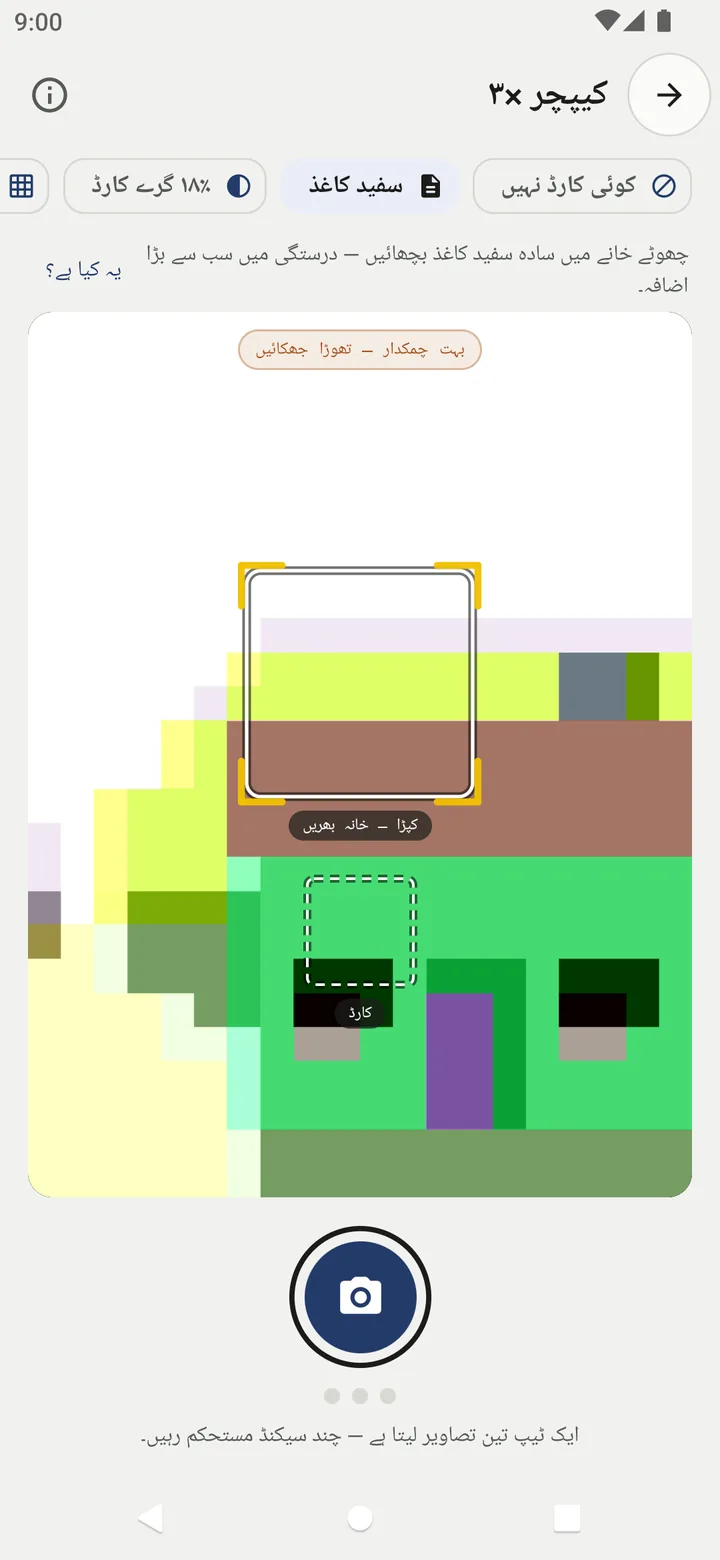
- Capture coaching: the reference chips (سفید کاغذ for White paper, ۱۸٪ گرے کارڈ for the 18% grey card, کلر چارٹ for the colour chart), the box labels, the live pill and the status line.
- Rejections and warnings: for example the three photos disagreeing, glare, or an overexposed card – each with its advice.
- Results: match verdicts, depth words, fibre and dye-class names, tuning tips and the lab-dip reminder.
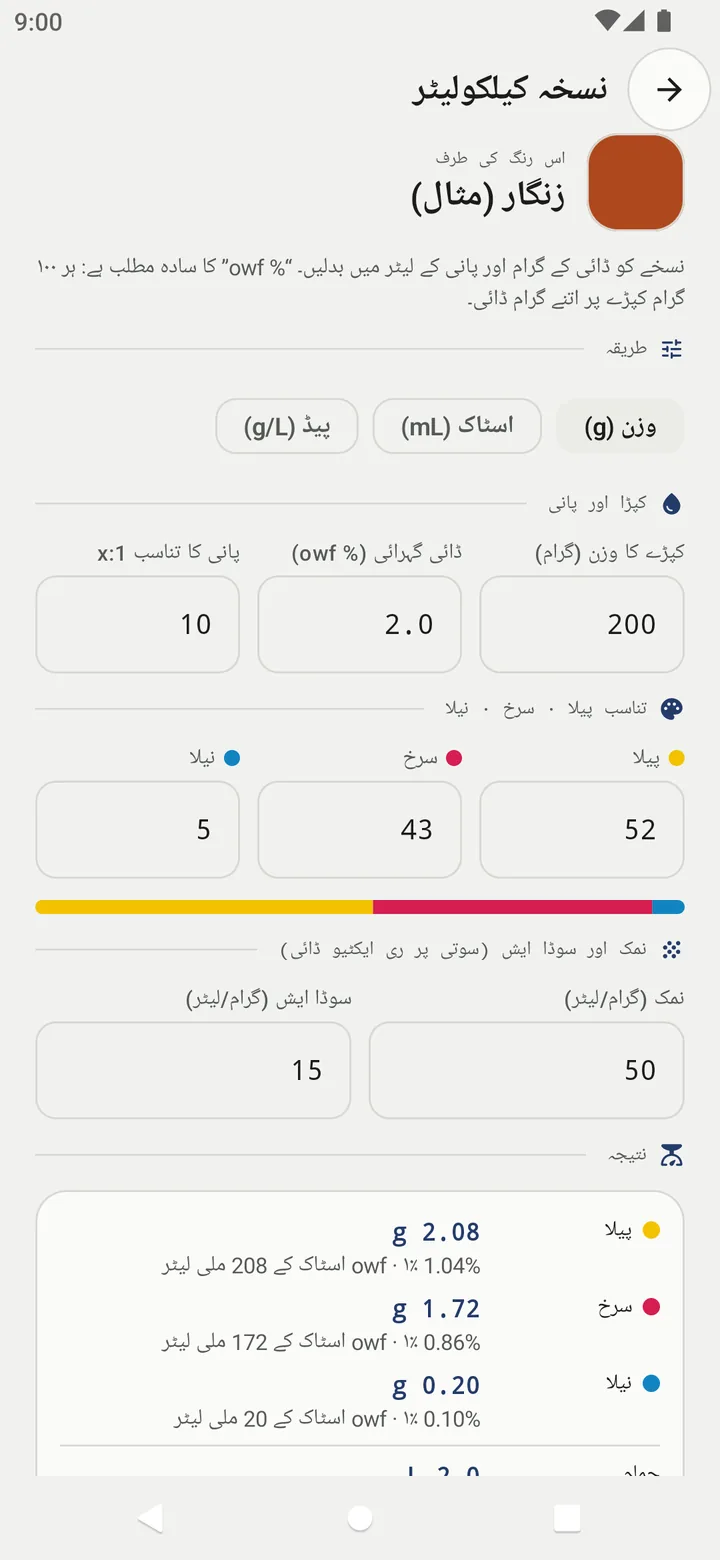
- Calculator: methods, field labels, the result rows and the notes on salt, alkali, stock and pad liquor.
- Share and PDF: the recipe card you share and the PDF shade card follow the active language.
What stays the same
- Numbers and units keep their usual form: L*a*b* values, ΔE, hex codes, Y:R:B and % owf read the same in both languages, so a recipe written down in one language works in the other.
- Shade names: the 101 hand-curated shades have Urdu names, delivered with the online library update (connect to the internet once after installing). In Urdu mode they show those names, and library search matches the Urdu text. The coverage-fill shades keep their English names.
- Your data: measurements, dips and custom shades are stored in a language-independent way. Switching language never changes them.
Urdu on the website
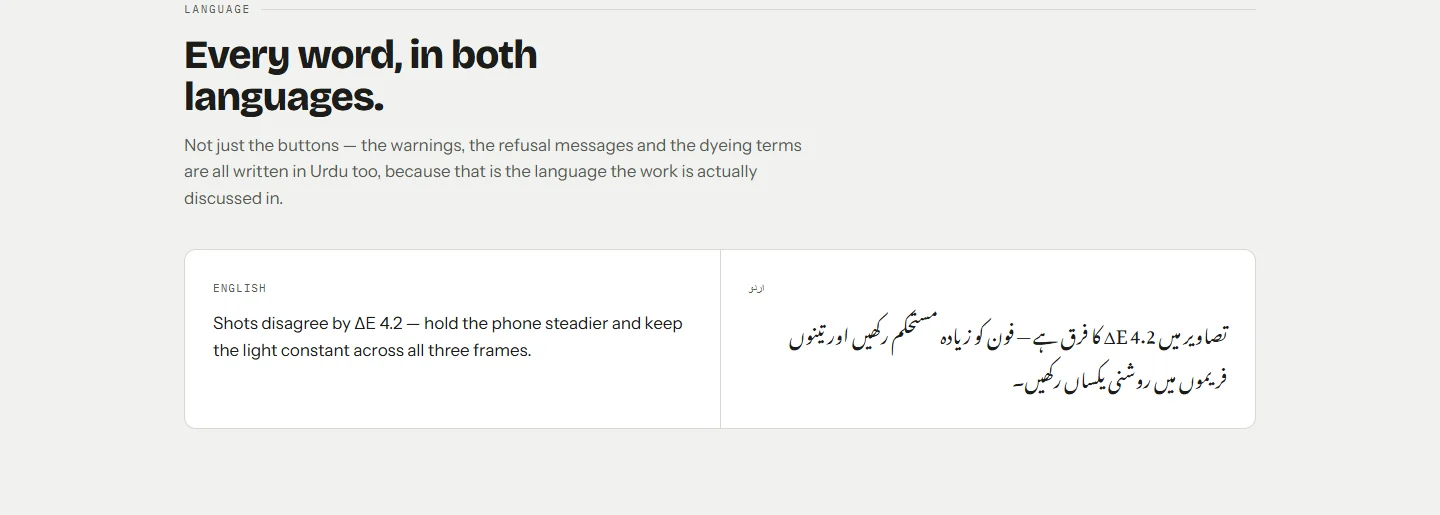
The product website, sc.abdohoo.app, has its own English / اردو switch at the top. It shows the same idea side by side: the warnings and dyeing terms are written in Urdu as well, not just the menus.
Working in a bilingual team
Because the switch is inside the app, each person can use the language they read best on their own phone, and the numbers still line up. A master who works in Urdu and a merchandiser who writes to the buyer in English see the same shade, the same Y:R:B ratio and the same % owf. When you talk about a shade across languages, quote its hex code or its ratio as well as its name.
Related
Frequently asked questions
Do I need to change my phone's language?
No. The switch inside Shadecard is independent of the phone's language, so you can keep your phone in English and use the app in Urdu, or the other way round.
Will my saved measurements change if I switch language?
No. Saved data is stored in a language-independent form. Switching only changes what you see.
Are shade names translated?
The 101 hand-curated shades have Urdu names in the online library, which show in Urdu mode and can be searched once the app has updated its library. The coverage-fill shades keep their English names.
Is the website available in Urdu too?
Yes. sc.abdohoo.app has its own English / اردو switch at the top of the page.
Was this article helpful?
Related articles
- Saved measurements, export and cloud backup in ShadecardTap Save measurement on a result; it appears in My workspace, where you can reopen it, log a dip or promote it. Export makes a file; signing in backs everything up automatically.
- Show a Quran translation under each ayah, in your languageOn Listen, pick a translator from Translation under the ayah, or Arabic only. The choice applies to Identify, Listen and Practice in that browser. Practice can also read a translation aloud.
- Take your first fabric colour reading, step by stepTap Capture dress color, keep White paper selected, lay the paper in the small dashed box and fill the big box with flat fabric, then tap the shutter once and hold still.
- Use the recipe calculator: grams, stock solution or pad liquorEnter fabric weight, depth (% owf), water ratio and the Y:R:B ratio. Pick Weigh (g), Stock (mL) or Pad (g/L); the calculator gives each dye plus bath volume, salt and soda.
Need a hand?
Email us what you see on screen — a screenshot helps — and we'll walk you through it.