How to identify a Quran recitation: a 'Shazam for Quran' explained
Record a few seconds with an app that recognises Quran audio. It matches the sound against known recordings, or recognises the words and finds them in the Quran, then names the reciter by voice.
On this page
To identify a Quran recitation, hold your phone near the sound and let a recognition app listen for a few seconds. It compares the sound with recordings it already knows and, if there's no exact match, recognises the Arabic words and finds them in the Quran. You get the surah, the ayah and often the reciter's name. People often call this a "Shazam for Quran", after the music apps that work in a similar way.
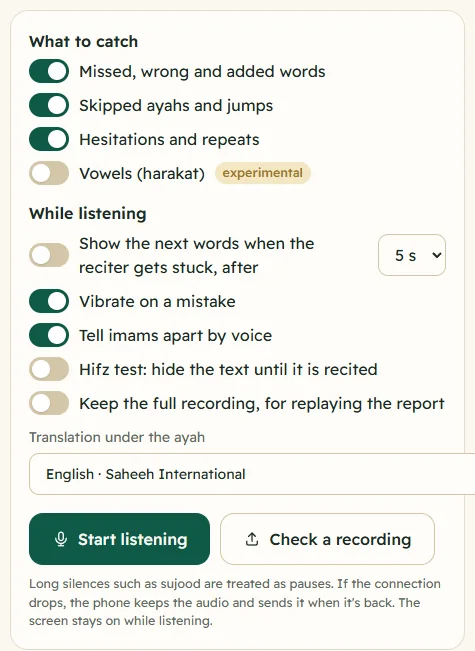
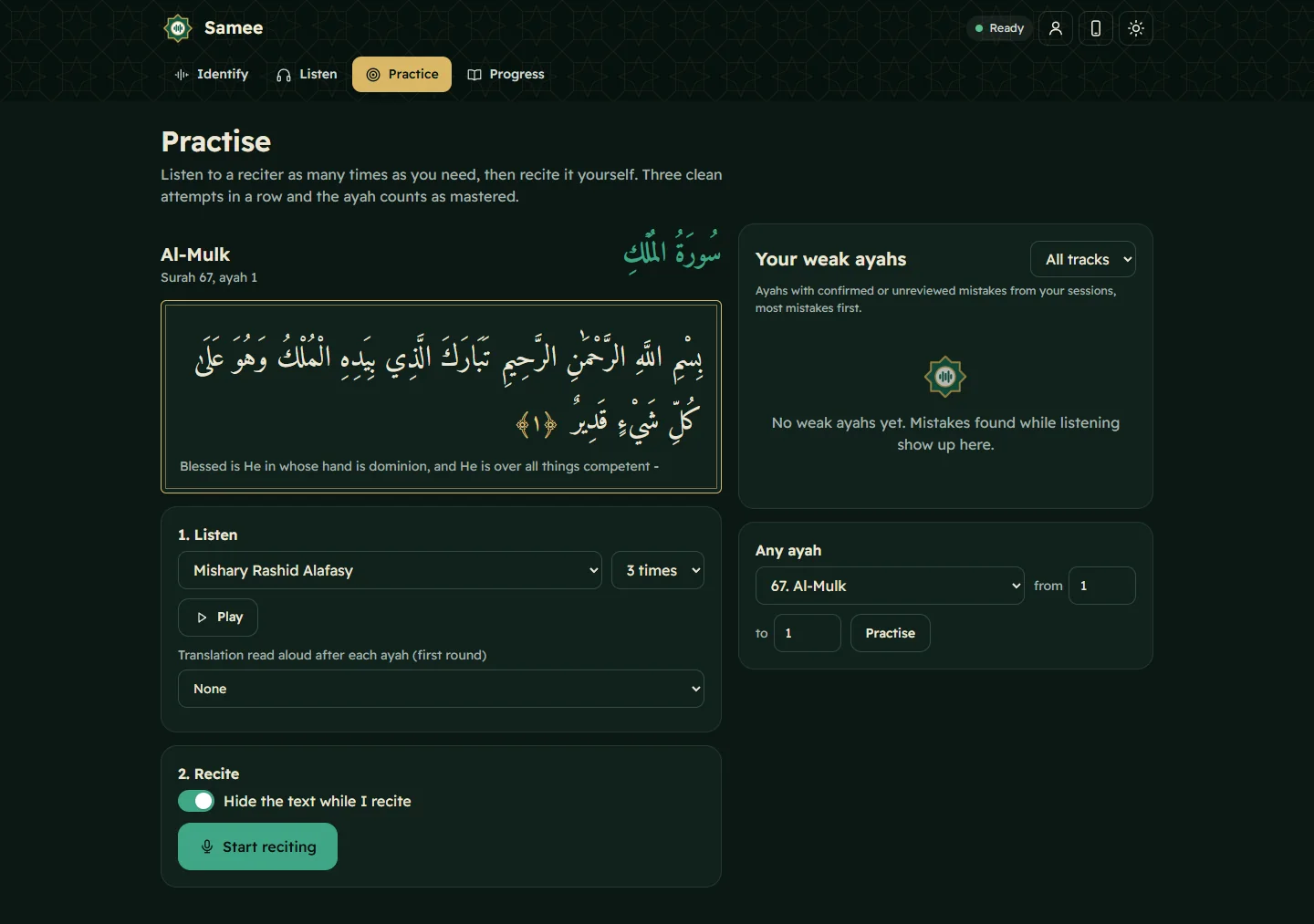
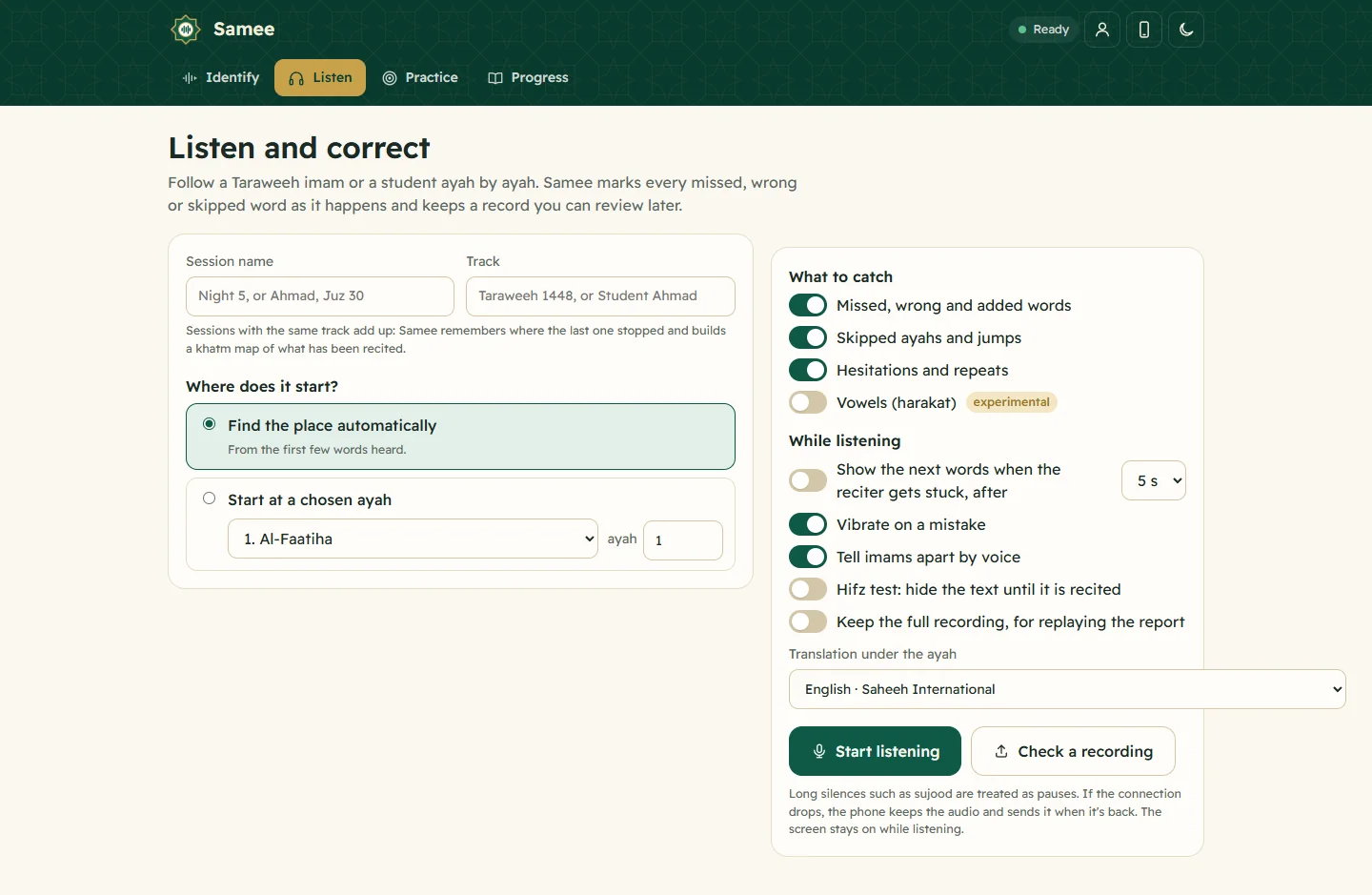
This article explains what happens in those few seconds, why some recitations are easier to identify than others, and what to do when an app can't help. The examples use Samee, which works in a phone browser and combines all three techniques below.
Why people want to identify a recitation
A recitation catches your attention in a taxi, on the radio, in a shop or in a video someone forwarded, and you want to know which surah it is, where in the mushaf to find it, or who the reciter is. In the mosque you may hear an imam recite a passage you'd like to learn. Teachers and students want to check where a recording starts. All of these come down to the same two questions: where in the Quran is this? and whose voice is it?
Technique 1: matching an audio fingerprint
A fingerprint is a compact summary of how a recording sounds. To make one, the audio is turned into a spectrogram, a picture of which frequencies are loud at each moment. The program keeps only the strongest peaks and records the pattern between pairs of them: this frequency, then that frequency so many milliseconds later. Those pairs become short codes called hashes.
Every recording in the catalogue is fingerprinted in advance. Samee's catalogue has about 162,000 recordings: each of the 6,236 ayahs of the Quran, recited by each of 26 well-known reciters. When you record a clip, the app makes hashes from it and looks for a recording that shares many of them at the same relative timing. A real match lines up many hashes at a consistent offset; a coincidence lines up only a scattered few.
Fingerprinting has three strengths:
- It's exact. A match tells you the reciter, the surah, the ayah and even how many seconds into the ayah your clip begins.
- It tolerates noise. Background chatter or traffic hides some peaks, but enough survive.
- It's fast. A lookup takes a fraction of a second.
Its weakness is that it only recognises recordings it has. A different recording by the same reciter, a live imam or your own voice has a different fingerprint, and no match will be found.
Technique 2: recognising the words
The second technique listens to the words themselves. A speech recogniser, a model trained on many hours of Quran recitation, writes down the Arabic words it hears. A search then looks for that sequence of words anywhere in the Quran's 6,236 ayahs, allowing for a word misheard here and there and for missing vowel marks.
This works for any reciter: a famous qari not in the catalogue, the imam at your mosque, a child in a hifz class, or you. Samee uses it whenever the fingerprint finds nothing, and shows Recognised from the words with the result, along with the words it heard.
It is less certain than a fingerprint for two reasons:
- Few words, many places. The Quran repeats phrases. فَبِأَيِّ آلَاءِ رَبِّكُمَا تُكَذِّبَانِ appears 31 times in Surah Ar-Rahman, and many ayahs open alike. If your clip contains only a shared phrase, several places fit equally well. Samee then says These words also appear elsewhere and lists Other possible places.
- Unclear audio. Echo, distance and noise make words harder to hear, and a misheard word can point to the wrong place.
Technique 3: naming the reciter by voice
When the words, not a recording, identified the ayah, the reciter is still unknown. Voice recognition fills the gap. A voice model turns a few seconds of speech into a "voiceprint", a set of numbers describing the voice, and compares it with the voiceprints of the catalogue reciters. If one is close enough, the app names him and says recognised by voice. If not, Samee says Reciter not recognised, and may add which voices came closest, rather than guessing.
How accurate is it?
Accuracy depends on the clip far more than on the app. In Samee's own tests, on simulated phone recordings rather than real rooms:
- fingerprinting picked the right recording for practically every 6-second clip of a catalogue reciter, even with background noise, and still about 97% of the time when the noise was as loud as the recitation;
- recognising the words found the ayah for about 96% of clips of a reciter who isn't in the catalogue;
- voice matching named the right catalogue reciter about 98% of the time.
Real life is messier: a reverberant mosque, a phone in a pocket, a fan beside the microphone. Treat any result as a strong suggestion and check it against the mushaf.
Step by step with Samee
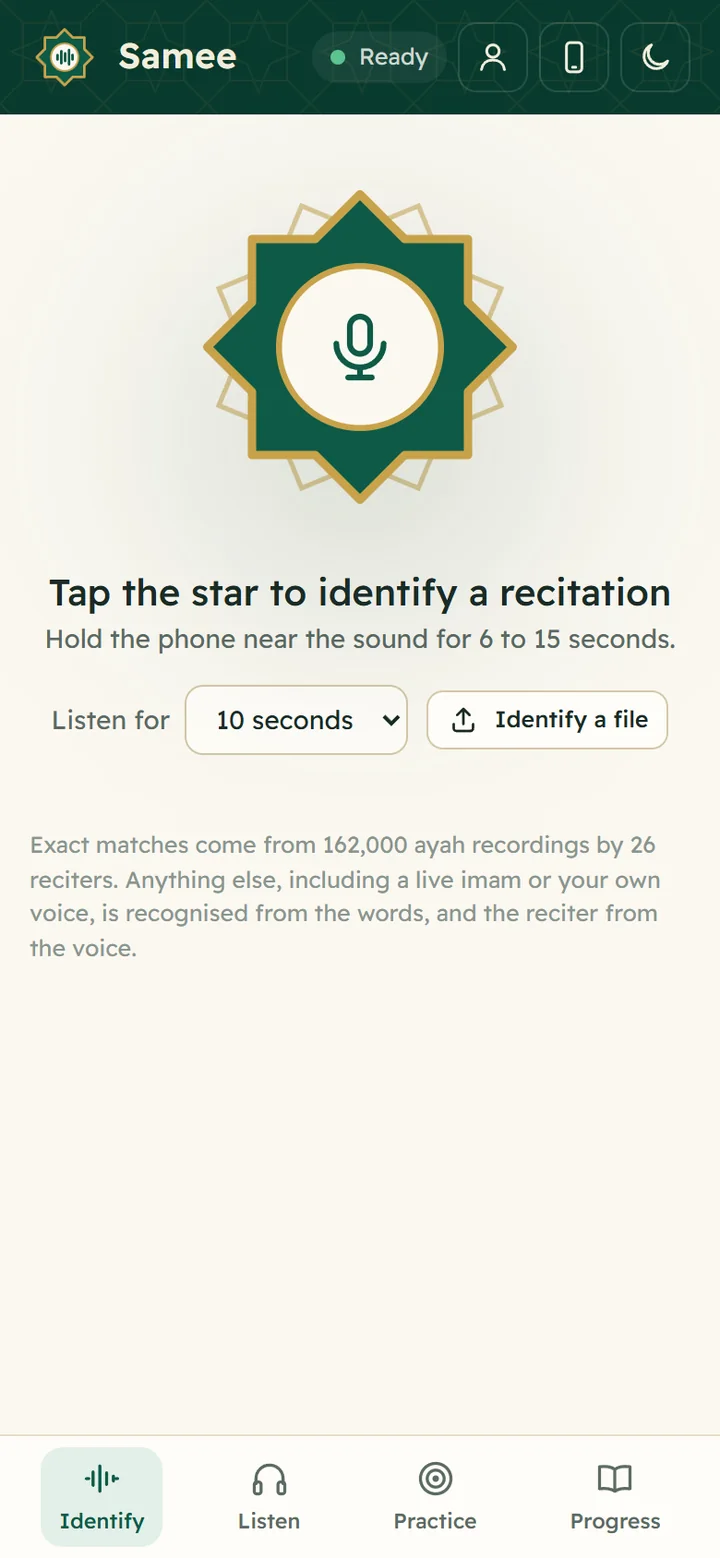
- Open samee.abdohoo.app on your phone.
- Choose Listen for: 6, 10 or 15 seconds.
- Tap the star and allow the microphone.
- Hold the phone near the sound until it stops listening.
- Read the result: surah, ayahs, juz and page, the reciter and a confidence bar.
You can also tap Identify a file to choose a voice note, an audio file or a video. The full walkthrough is in identify a recitation from sound or a file, and every part of the result is explained in read the identify result.
Getting a better result
- Get closer to the source. Halve the distance to a loudspeaker and the voice gets much clearer compared with the room.
- Avoid the gaps. Start listening while the reciter is mid-ayah, not during a pause, the takbir or the isti'adha.
- Listen longer for live voices. 15 seconds gives the recogniser more words to place.
- Keep fingers off the microphone, which is usually at the bottom edge of the phone.
- Check the alternatives when the confidence is low.
What these apps can't do
- Recognise what isn't Quran. The adhan, a du'a, a nasheed or a lecture won't be matched to an ayah.
- Know every reciter. A voice is named only if it is in the catalogue or has been taught to the app.
- Cover every riwayah. Samee's text and recordings follow the riwayah of Hafs from Asim, the most widespread today. A recitation in Warsh, for example, may still be placed from the words, but its differences from Hafs can confuse the match.
- Replace knowing the Quran. An app that identifies a recitation tells you where to look; it doesn't teach you how to recite it.
If you have no app at hand, or it can't help, you can often find the place yourself from a few remembered words. Our guide which surah is this? shows how.
Beyond identifying
Once you know the place, the same listening technology can follow the rest of the recitation word by word and point out missed or wrong words. That is what Samee's Listen tab does for Taraweeh and for hifz students; see Introducing Samee for the full picture.
Frequently asked questions
Is there a Shazam for the Quran?
Yes, several apps do this. Samee, for example, listens for 6 to 15 seconds and names the surah, the ayah and, when it can, the reciter. It works in a phone browser at samee.abdohoo.app.
Can an app identify a local imam who has never been recorded?
It can find the surah and ayah, because it recognises the words rather than the recording. It can't name the imam unless it has been taught his voice.
How many seconds do I need to record?
For a clean recording of a well-known reciter, 6 seconds is usually enough. For a live voice, a quiet reciter or a noisy room, 10 to 15 seconds gives the speech recogniser more words to work with.
Why does the app sometimes give the wrong ayah?
Many ayahs share phrases, and a few seconds may contain only words that appear in several places. Listening for longer, or checking the other possible places the app lists, usually settles it.
Was this post helpful?